
How to Build a Restaurant Website in 2026 (Step-by-Step Shopify Guide)


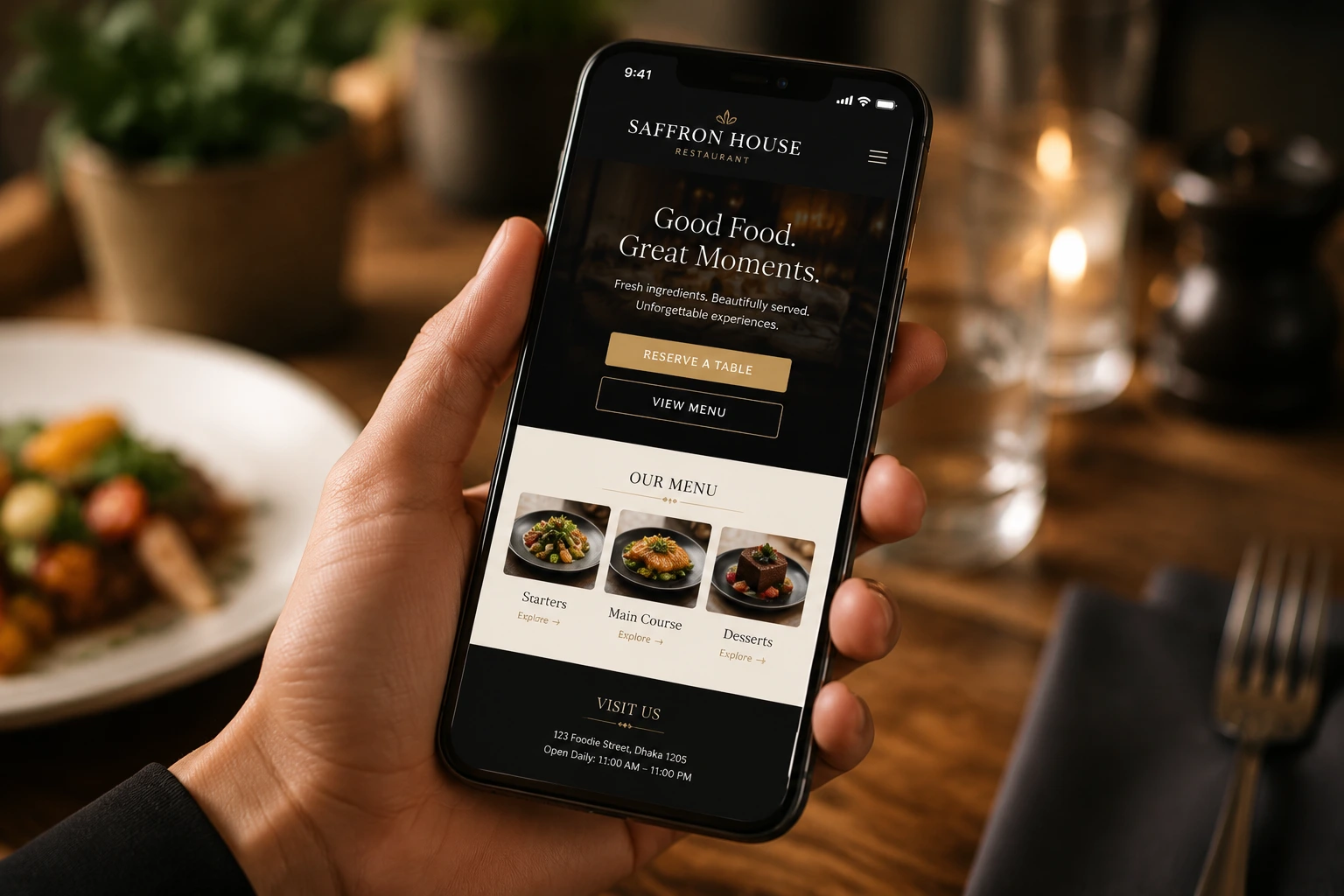
Before a single guest tastes your food, they’ve already judged your restaurant on their phone. If you’re wondering how to build a restaurant website that turns those visitors into bookings, this guide covers everything step by step.
Building a restaurant website means creating an online home where customers can view your menu, find your location and hours, make table reservations, and place orders. With Shopify, you can build a restaurant website without any coding by choosing a theme, adding a few essential pages, and installing a reservation app. Most restaurant owners can go live within a week.
And it matters more than you might think. Around 77% of diners check a restaurant’s website before deciding to visit, and 70% say a bad website has actually talked them out of it. More customers see your website than your dining room. If the site is slow, outdated, or missing a way to book a table, those guests don’t call to double-check. They simply pick the restaurant next door.
In this guide, we’ll walk you through how to build a restaurant website step by step, from picking a domain to adding online table reservations. No web design experience needed.
How to Build a Restaurant Website: Quick Answer
Here’s how to build a restaurant website: you need a domain name, a website platform, a restaurant-friendly theme, an HTML menu page, an online reservation or ordering system, mobile optimization, and a local SEO setup. Shopify makes the process easier because your website, payments, and restaurant tools all run from one dashboard, and apps like Reservics add table bookings in minutes. Now let’s break each step down.
Why Your Restaurant Website Matters More Than Ever
Your website isn’t a digital business card anymore. It’s your host stand, your menu board, and your reservation book, all working 24/7.
Here’s what the numbers say:
- 69% of customers use a restaurant’s website to decide whether to dine in, and 43% use it to decide on takeout or delivery.
- 64% of consumers almost always order on their phone, which means your site lives or dies on mobile.
- Nearly half of all Google searches have local intent: people searching “Italian restaurant near me” at 6 PM on a Friday, ready to book right now.
And there’s a financial angle too. Every reservation or order that comes through a third-party platform costs you commission or per-cover fees. Every booking that comes through your own website costs you nothing extra, and you keep the customer relationship, the email address, and the repeat business.
Essential Features Every Restaurant Website Needs
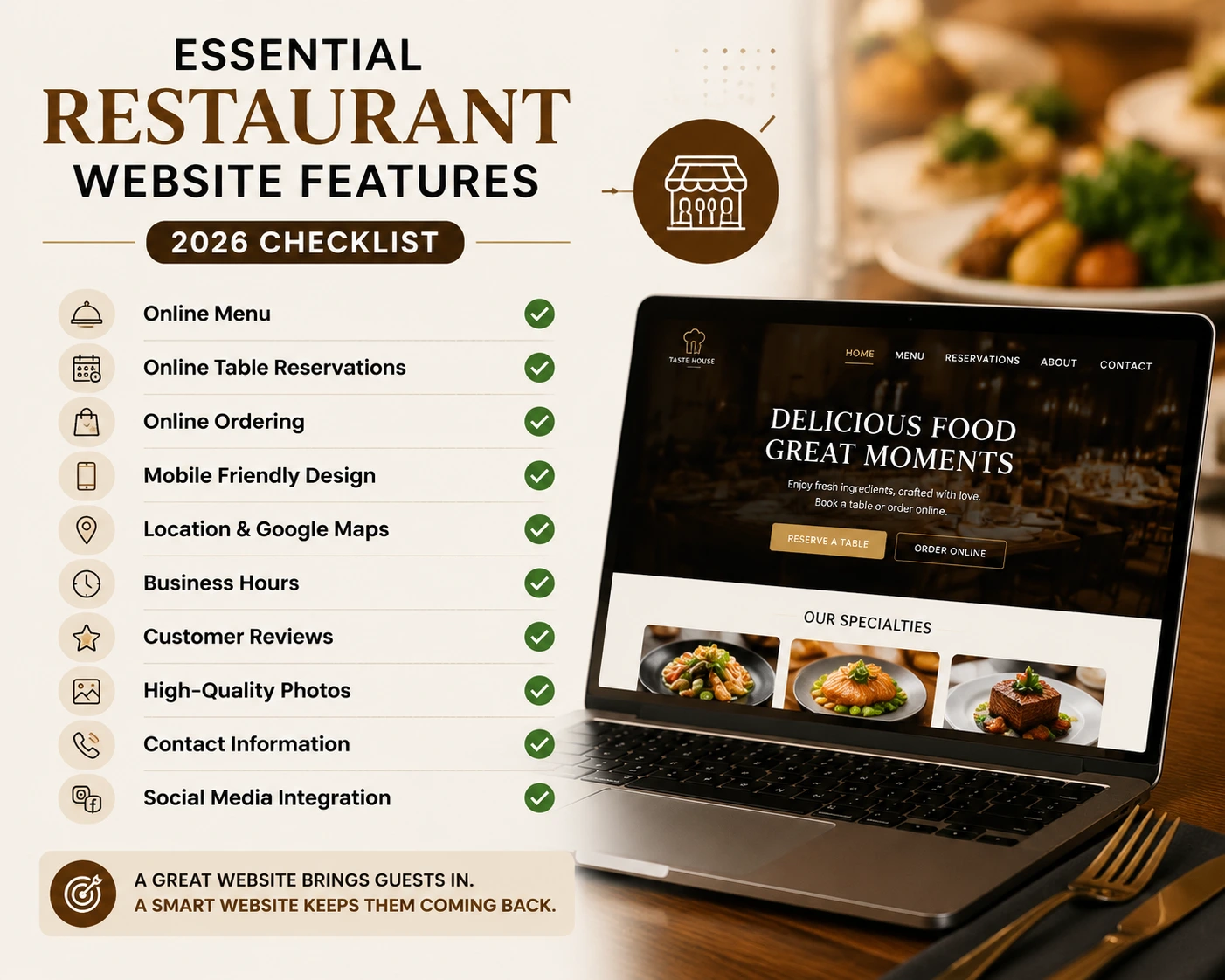
Before we get into the build, here’s the feature checklist every restaurant website should cover in 2026:
- Online menu built as a web page (not a PDF), with prices and photos
- Reservation system so guests can book a table in a few taps
- Online ordering for takeout or delivery, if you offer it
- Contact details and hours visible on the homepage, with a click-to-call button
- Google Maps embed so guests can find you in one tap
- Customer reviews or testimonials for social proof
- Mobile-first design that loads in under three seconds
- Social media links connecting your Instagram and Facebook
Keep this list handy. Every step below exists to check one of these boxes.
Why Shopify Is a Great Fit for Restaurant Websites
When most people hear “Shopify,” they think of online stores selling t-shirts. But Shopify has quietly become one of the best platforms for restaurants, and here’s why:
Everything lives in one place. Your website, menu, gift cards, merch, online payments, and (with the right app) table reservations all run from a single dashboard. No duct-taping five different tools together.
It’s genuinely no-code. Shopify’s theme editor uses drag-and-drop sections and app blocks. You can update your menu, change your hours, or add a reservation widget without touching a line of code, and without paying a developer every time.
Checkout customers already trust. If you ever sell gift cards, sauces, merch, or event tickets, Shopify’s checkout is one of the highest-converting on the web.
It’s fast and mobile-first by default. Modern Shopify themes are built responsive out of the box, which matters when two-thirds of your visitors are on a phone.
Shopify vs WordPress for Restaurant Websites
The most common question restaurant owners ask is whether to use Shopify or WordPress. Here’s an honest comparison:
| Feature | Shopify | WordPress |
|---|---|---|
| Setup difficulty | Easy, guided wizard | Requires hosting, theme, and plugin setup |
| Hosting and security | Included and managed | Your responsibility |
| Table reservations | Apps like Reservics | Plugins available |
| Online payments | Built in | Requires WooCommerce or plugins |
| Ongoing maintenance | Low | Higher (updates, backups, security) |
| Deep customization | Medium | High |
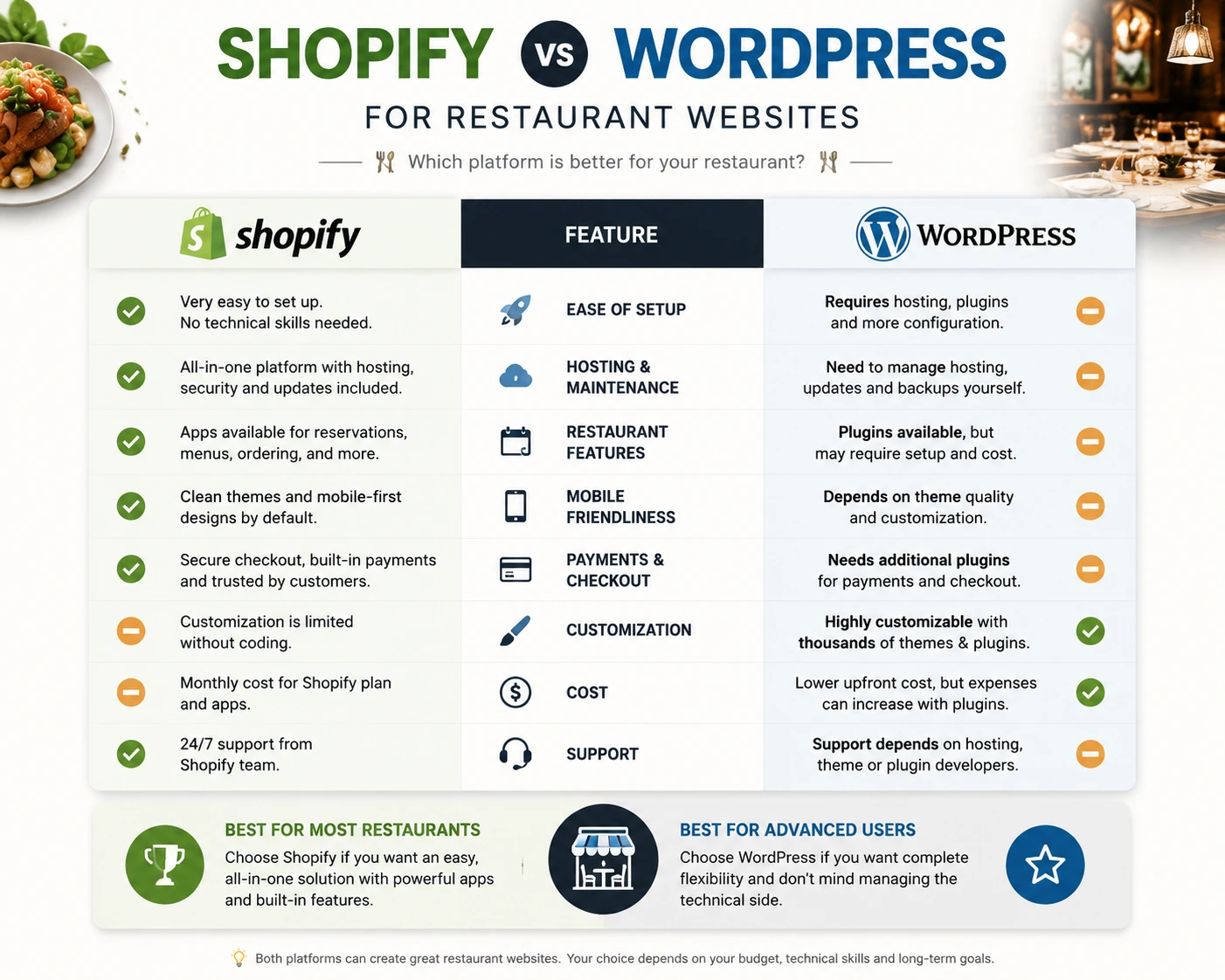
The short version: choose Shopify if you want simplicity, built-in payments, and low maintenance. Choose WordPress if you need heavy custom functionality and have someone to maintain it. For most independent restaurants, simplicity wins, so this guide uses Shopify.
Step 1: Plan Before You Build
The most common restaurant website mistake happens before the site even exists: skipping the plan.
Answer one question first: what is the #1 action you want a visitor to take? It depends on your restaurant type:
| Restaurant Type | Website Focus |
|---|---|
| Fine dining / table service | Reservations and brand story |
| Cafe / bakery | Menu, hours, and location discovery |
| Fast casual / takeaway | Online ordering |
| Cloud kitchen | Online ordering and delivery zones |
Everything on your homepage should funnel toward that one action.
Then gather your content before you open the theme editor. You’ll need:
- Your full menu with prices and descriptions
- 10–15 good photos of your best dishes, your space, and your team
- Hours, address, and phone number (current ones!)
- A short “about” story: who you are and why you cook what you cook
- Your logo and brand colors
Having this ready turns a weeks-long project into a weekend one.
Step 2: Get Your Domain and Set Up Shopify
Your domain is your web address, and simple wins. Follow three rules:
- Match your restaurant name. If your place is called Saffron House, aim for saffronhouse.com.
- Keep it short. It has to be easy to type on a phone.
- Prefer .com. It’s still what diners expect and trust. If it’s taken, add your city; saffronhousedhaka.com works fine.
A domain costs around $12–20 per year, and you can buy it directly through Shopify or a registrar like Namecheap.
Then start your Shopify trial, follow the setup wizard, and connect your domain. Hosting, SSL security, and backups are all included. That’s three things you’ll never have to think about again.
Step 3: Choose a Restaurant-Friendly Theme
Your theme is your site’s design foundation. For a restaurant, look for:
- Image-first layouts. People eat with their eyes, so your food photos should dominate.
- Fast load speed. If your site takes more than 3 seconds to load, hungry visitors leave.
- Prominent call-to-action buttons. “Reserve a Table” or “Order Now” should be visible without scrolling.
- App block support. This lets you drop tools like a booking widget anywhere on the page.
Shopify’s theme store has both free and premium options that fit the bill. Start with a free theme if budget is tight; a fast, clean free theme beats a bloated premium one every time.
Free theme or a restaurant-specific theme?
Both work, and the difference only shows up in what you have to build on top. General themes think in products and collections, so you end up bending collections into courses, typing allergens into product descriptions, and hunting for an app to hold your booking form.
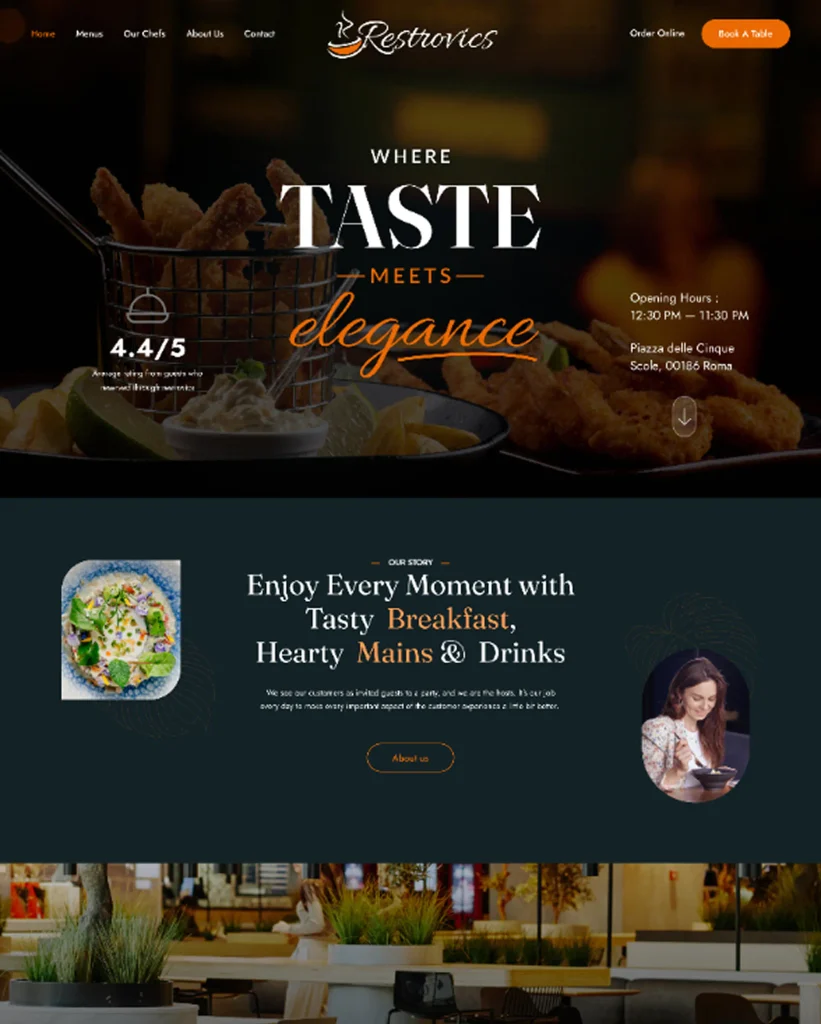
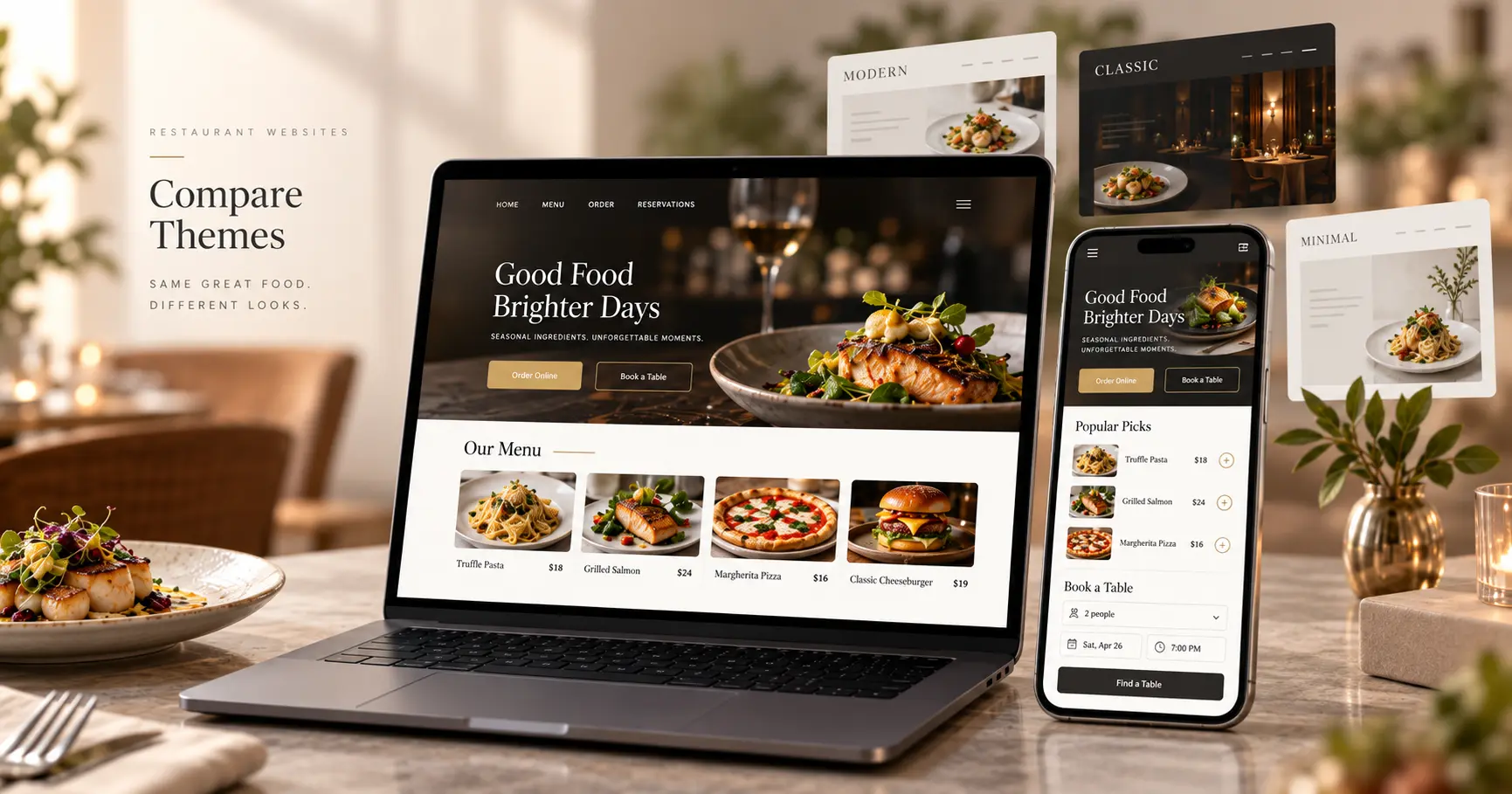
Restaurant-specific themes start with those pieces already in place. Restrovics is our own restaurant Shopify theme, where collections are courses and every dish carries its portion sizes, paid add-ons, allergens and spice level. Whichever route you take, open your shortlist on a phone before you commit, because that is where most of your guests will see it.
Step 4: Build the 5 Essential Pages
You don’t need a big website. You need five pages that do their jobs well.
One shortcut worth knowing: if your theme was built for restaurants, most of these pages already exist. Restrovics comes with nine pre-built pages, including a dish page, a chefs page and an FAQ, so your job becomes editing text and swapping in your own photos instead of building layouts from blank sections.
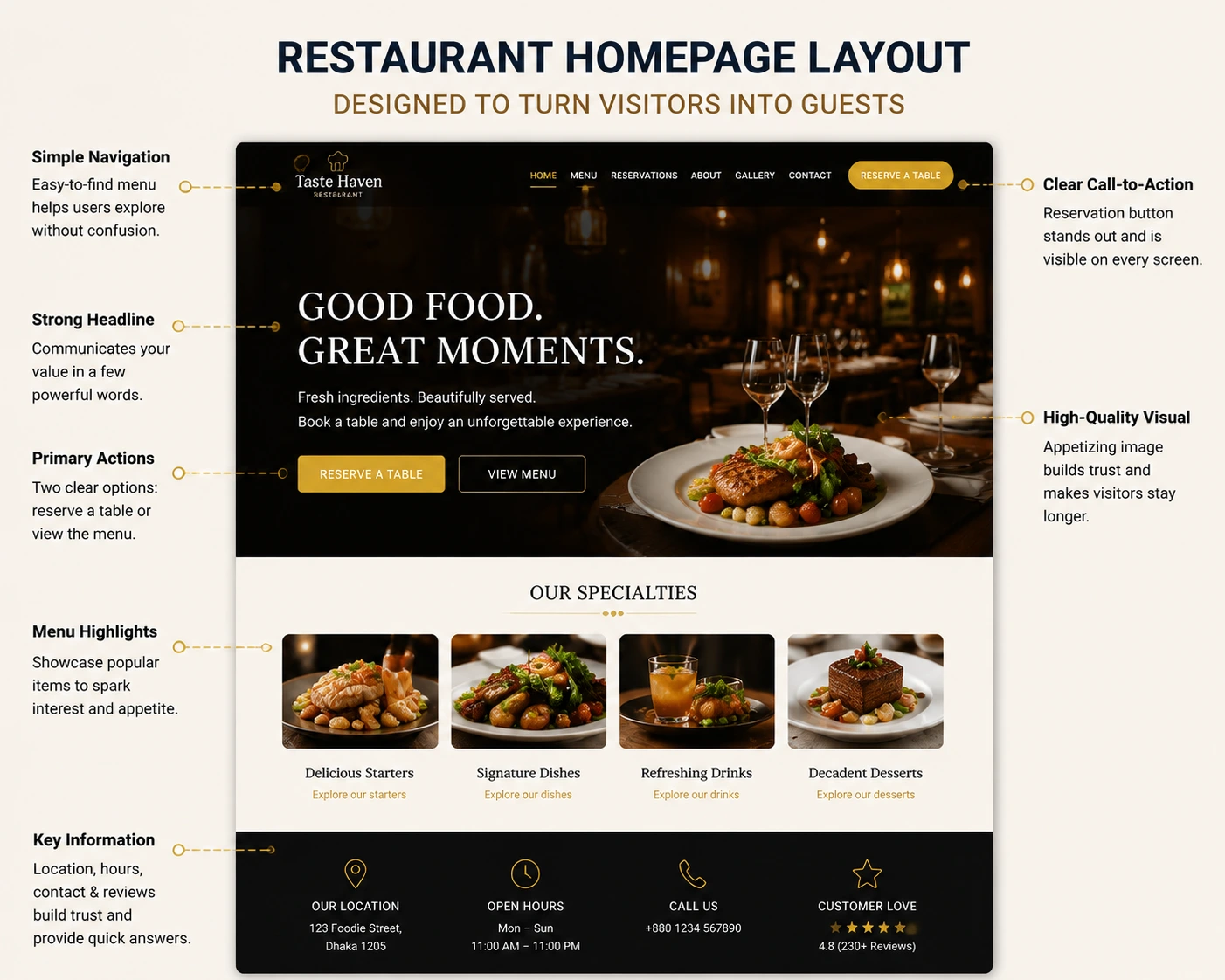
1. Homepage
A visitor should understand three things within five seconds: what kind of food you serve, where you are, and how to book or order. Lead with a mouth-watering hero image, put your reservation button front and center, and show your hours and location before the fold, never buried in the footer.
2. Menu Page
This is your most-visited page, so treat it well. And whatever you do, don’t upload a PDF menu. PDFs load slowly on phones, force a download, and Google can’t read them, which means your dishes never show up in search. Build your menu as a proper web page instead: clear categories, prices, honest descriptions, and photos of your signature dishes.
3. About Page
People don’t just buy food; they buy stories. A short, genuine “about” section covering your history, your chef, and your philosophy builds the trust that turns a browser into a booker.
4. Contact / Find Us Page
Include a click-to-call phone number, an embedded Google Map, parking or transit notes, and your hours. Nothing kills trust faster than a diner showing up to a closed door because your website listed old hours.
5. Reservations Page
The page that pays for the whole website, which brings us to the most important step.
Step 5: Add Online Table Reservations
Here’s a hard truth about modern diners: many of them simply won’t call. Younger guests in particular will scroll straight past a “call us to book” line and reserve at the competitor with an online booking button instead.
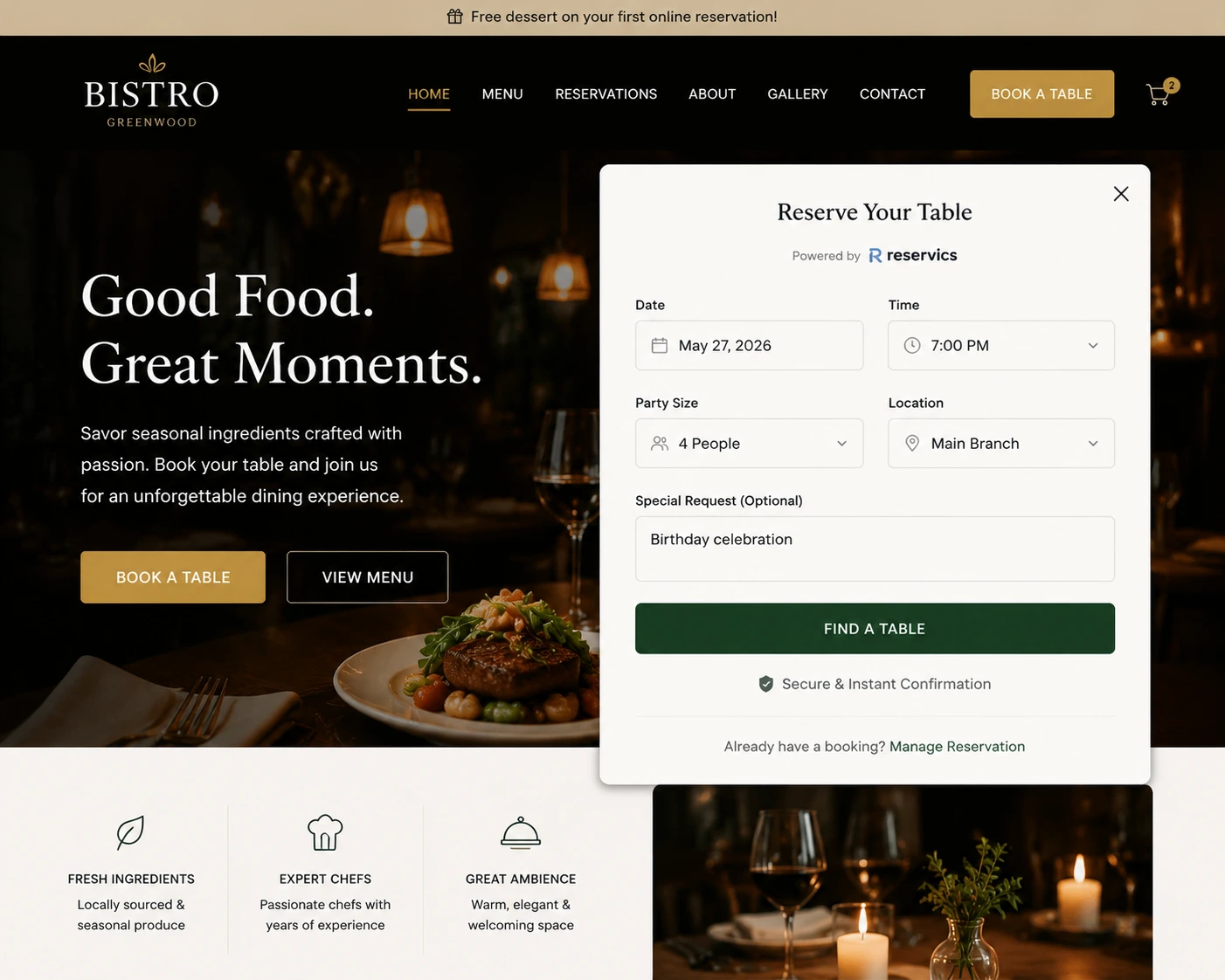
You have two options for taking bookings online:
Option A: Third-party reservation platforms. These work, but many charge per-cover fees or monthly subscriptions that scale up fast. And your guests’ data lives on their platform, not yours.
Option B: Take reservations directly on your own website. No per-cover fees, and every booking builds your customer list.
Since your site runs on Shopify, option B is refreshingly simple with Reservics, a table reservation app built specifically for Shopify restaurants. Here’s what the setup looks like:
- Install Reservics from the Shopify App Store (about two minutes).
- Set your dining hours, table capacity, and party-size limits.
- Drop the booking widget onto your Reservations page, or any page, using theme app blocks. No code needed.
- Start taking bookings.
Beyond basic bookings, a proper reservation system solves the problems that quietly eat into restaurant profits:
- Deposits and prepayments dramatically cut no-shows. Guests who put money down actually show up.
- Automatic email confirmations and reminders mean fewer “we forgot” empty tables.
- A waitlist captures demand on fully-booked nights instead of turning guests away.
- A live dashboard shows tonight’s covers at a glance, so your host isn’t juggling a paper book.
If you want a deeper walkthrough of the booking setup, we’ve covered it in detail in our guide to adding table booking to your Shopify store.
Step 6: Optimize for Mobile and Speed
Before you launch, pick up your phone and test everything yourself:
- Can you read the menu without pinching and zooming?
- Is the “Reserve a Table” button big enough to tap with a thumb?
- Does every page load in under three seconds?
- Can you complete a test booking in a few taps?
If anything feels clunky to you, it will feel clunky to a hungry customer, and hungry customers have zero patience. Compress your images before uploading (large photo files are the #1 cause of slow restaurant sites), and keep your app count lean.
Step 7: Get Found (Local SEO Basics)
A beautiful website nobody finds is a beautiful waste of money. Since 51% of consumers discover restaurants through Google Search, a few basics go a long way:
Claim and complete your Google Business Profile. Add your hours, photos, menu link, and crucially, your reservation link pointing to your new booking page. This turns Google Maps into a direct booking channel. We’ve written a full walkthrough in our Google Business Profile guide for restaurants.
Use location keywords naturally. Your homepage title should read like “Saffron House | Modern Indian Restaurant in Dhanmondi, Dhaka,” not just “Home.”
Keep your name, address, and phone number identical everywhere: website, Google, Facebook, Instagram. Inconsistency confuses both Google and guests.
Collect reviews. Politely ask happy diners to leave a Google review. Reviews are one of the strongest local ranking signals, and the best free marketing there is. Once those first-time guests arrive, our guide on turning first-time diners into regulars shows you how to keep them coming back.
5 Restaurant Website Mistakes to Avoid
Even good websites lose customers to these classics:
- The PDF menu. Worth repeating: slow, unreadable by Google, and painful on mobile.
- No way to book or order. A site without an action button is a brochure, not a business tool.
- Buried contact info. Hours and phone number belong on the homepage, not three clicks deep.
- Outdated information. Old hours and stale menus don’t just annoy guests; they send them to competitors.
- Phone-only reservations. If calling is the only way to book, you’re invisible to a growing share of diners.
Frequently Asked Questions
How do I add online reservations to a Shopify restaurant website?
Install a reservation app like Reservics from the Shopify App Store, set your dining hours and table capacity, then add the booking widget to any page using theme app blocks. The whole setup takes a few minutes and requires no coding.
Can I create a restaurant website without coding?
Yes. Shopify’s drag-and-drop theme editor handles the design, and apps handle features like reservations and ordering. You can build, launch, and update your entire restaurant website without writing a single line of code.
What pages should a restaurant website have?
Five core pages: a homepage, a menu page (as a web page, not a PDF), an about page, a contact/find-us page, and a reservations or ordering page. Start with these and add more later.
Is Shopify better than WordPress for a restaurant website?
Shopify is better for restaurant owners who want an easy setup, built-in payments, and low maintenance. WordPress offers deeper customization but requires you to manage hosting, security, and plugin updates yourself. Most independent restaurants are better served by Shopify’s simplicity.
How much does a restaurant website cost?
On Shopify, expect roughly $30–50/month for the platform, $12–20/year for a domain, and free-to-modest app costs. Reservics offers a free plan to get started. Compare that to $3,000–10,000 for custom development, and the math is easy.
How long does it take to build a restaurant website?
With your content prepared (menu, photos, hours), you can launch a professional Shopify restaurant site in a weekend. Most owners go live within a week.
Ready to Take Bookings on Your Own Website?
A great restaurant website in 2026 comes down to four things: a fast, mobile-friendly design, an HTML menu, accurate information, and a frictionless way to book a table.
You bring the food and the story. Shopify brings the website. Reservics brings the bookings.
👉 Add Reservics to your Shopify store: free plan, no credit card required.
This guide is based on hands-on experience building restaurant websites on Shopify and optimizing booking flows for restaurant owners. The Apselo team builds Reservics, a table reservation app used by Shopify restaurants to take bookings directly on their own websites.

6 Comments
[…] If your covers come from your own website and your own regulars, and you are already on Shopify, moving to an OpenTable alternative for Shopify removes a per-diner fee for traffic you generated yourself. Check your network versus direct split first, find your renewal date, and run both systems in parallel for a week. If your own website is the weak link, start with our step-by-step guide on how to build a restaurant website. […]
[…] make the final call. And if the storefront around the booking form still needs work, our guide on how to build a restaurant website covers the pages, menu and reservation setup step by […]
[…] in a single afternoon. If you do not have a restaurant site yet, start with our guide on how to build a restaurant website and then come back to this booking […]
[…] Within 6 weeks their no-show rate dropped from 18% to just over 10%. Crucially, cancellations went up, which sounds bad but is not. Guests who were not coming started cancelling in time, freeing tables that were rebooked on the night. A deposit policy only works if guests can find the booking page in the first place, so if your site is still a work in progress, see our guide on how to build a restaurant website. […]
[…] to come through your own site rather than a third-party network, which is exactly what our guide on how to build a restaurant website sets […]
[…] you are creating the whole site from scratch, read our how to build a restaurant website on Shopify guide […]