7 Best Shopify Themes for Restaurants in 2026: Free and Premium Options Compared


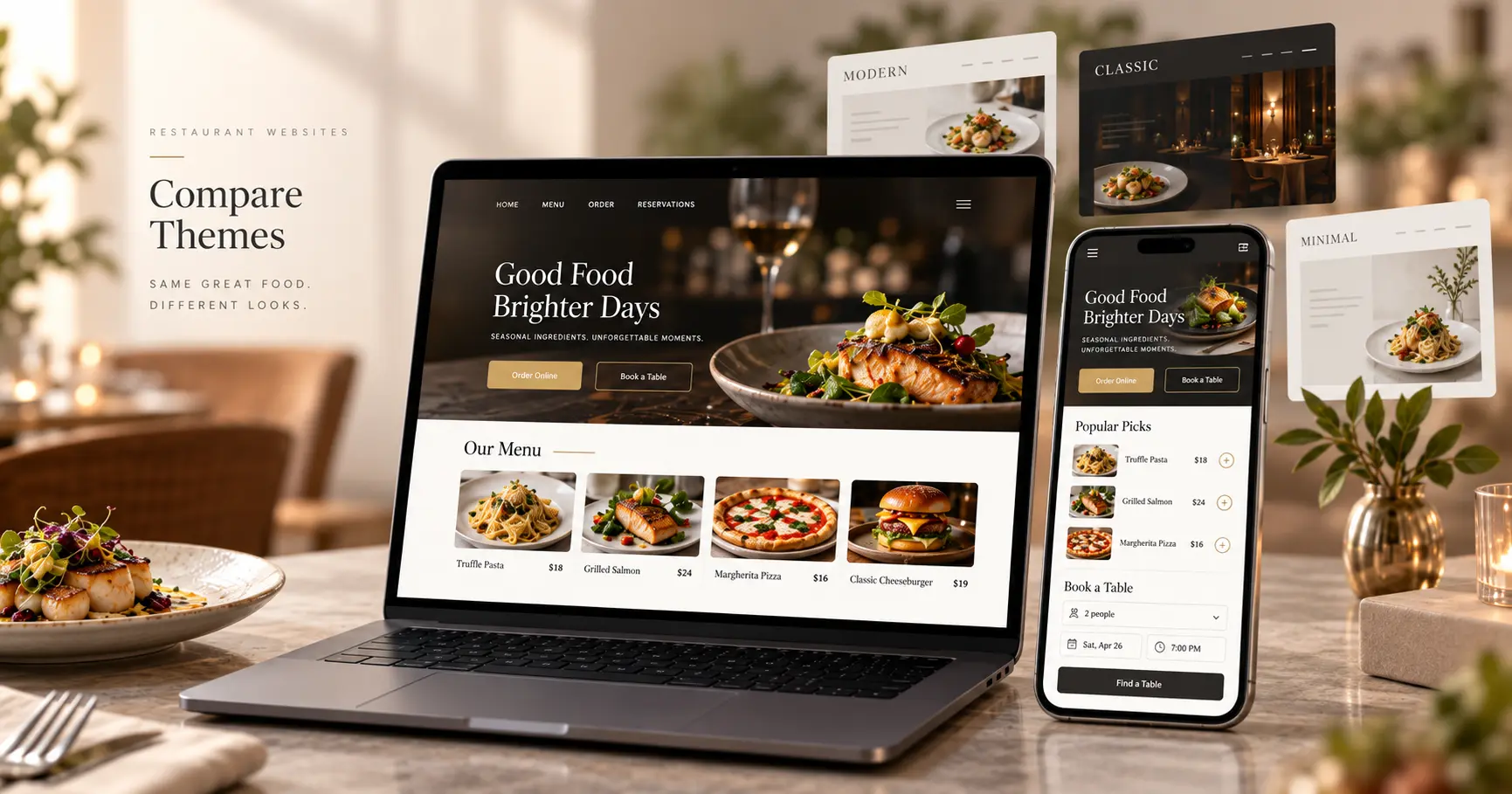
The best Shopify themes for restaurants do more than make food look good.
Guests usually arrive with practical questions:
- What is on the menu?
- How much does it cost?
- Can I order online?
- Is the restaurant open?
- Can I book a table?
That is why choosing a Shopify restaurant theme is different from choosing a normal ecommerce theme.
A good restaurant theme should make menus easy to scan, display dish information clearly, work well on mobile, and support ordering or bookings without forcing you to rebuild the entire experience.
If you are creating the whole site from scratch, read our how to build a restaurant website on Shopify guide first.
Quick answer: What is the best Shopify theme for restaurants?
Best overall: Restrovics
Best for takeaway and pickup: Takeout
Best for restaurant + retail: Local
Best premium food brand theme: Foodie
Best free options: Savor, Restrovics, Crave, and Taste
For restaurants that need course-based menus, detailed dish pages, paid extras, Shopify ordering, and table booking enquiries, Restrovics is one of the strongest restaurant-focused options.
Takeout is better suited to pickup-heavy businesses, while Local and Foodie are stronger choices for food businesses that also operate like traditional ecommerce stores.
What should a Shopify restaurant theme include?
The best Shopify themes for restaurants all share a few basics. Before comparing colors and layouts, evaluate whether the theme supports how a restaurant website actually works.
Restaurant-style menu structure
Guests naturally browse Starters, Mains, Desserts, Drinks, and other courses.
A standard collection grid may work, but a course-based menu creates a more natural restaurant experience.
Dish information
A useful restaurant theme should make it easy to show:
- Ingredients
- Allergens
- Dietary information
- Calories
- Portion sizes
- Spice levels
- Product options
Paid extras
Restaurants often sell sauces, sides, larger portions, toppings, or other add-ons. These should connect easily to the dish and its pricing.
Ordering and checkout
For Shopify restaurants, keeping the order inside Shopify Cart and Checkout can simplify payments and store management.
Table booking
At minimum, the theme should support booking enquiries or make it easy to integrate a dedicated reservation app. Our guide on how to add table booking to your Shopify store covers both options.
Mobile usability
Menus, opening hours, directions, ordering, and reservations should all be easy to access from a phone.
Easy maintenance
Restaurant owners should be able to update dishes, prices, images, and opening hours without asking a developer every week.
Best Shopify themes for restaurants compared
| Theme | Best for | Price | Menu focus | Dietary info | Booking |
|---|---|---|---|---|---|
| Restrovics | Complete restaurant sites | Free | Restaurant-first | Dedicated fields | Enquiry built in |
| Takeout | Takeaway and pickup | $200 | Menu-style view | Nutrition + dietary tags | App required |
| Local | Restaurant + retail | $380 | Food retail | Nutritional facts | App required |
| Foodie | Food and coffee brands | $150 | Product-focused | Ingredients/nutrition | App required |
| Savor | Visual food brands | Free | Product-focused | Product details | App required |
| Crave | Mobile-first starters | Free | Product-focused | Product details | App required |
| Taste | Specialty food stores | Free | Product-focused | Custom setup | App required |
Prices were checked in the Shopify Theme Store in September 2026 and may change.
1. Restrovics: Best for a complete Shopify restaurant website
Best for: Restaurant owners, freelancers, developers, and agencies building full restaurant websites
Restrovics is designed around restaurant workflows rather than adapting a general ecommerce layout.
Its strongest difference is the menu.
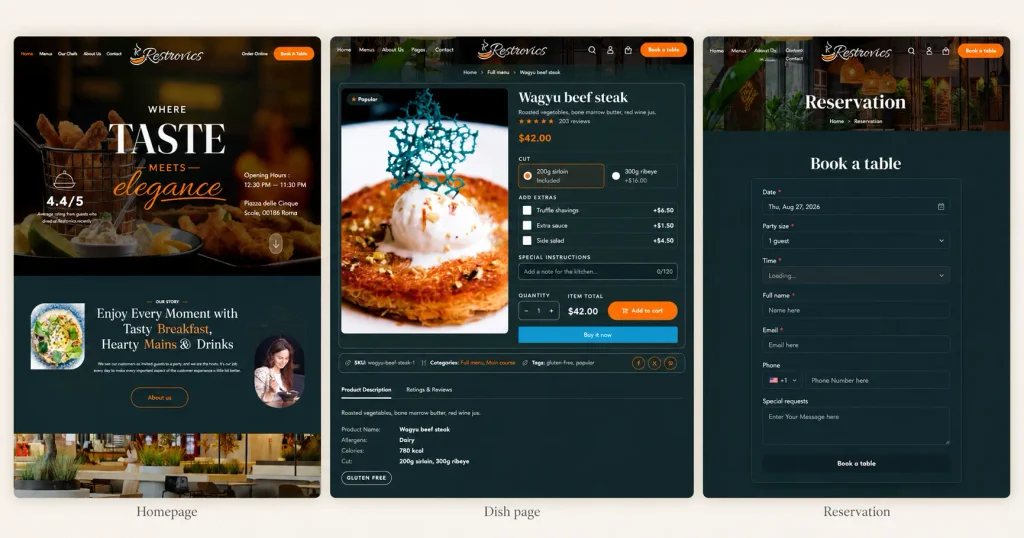
Shopify collections can act as menu courses such as Starters, Mains, Desserts, and Drinks, while Restrovics presents them through a tabbed digital menu board. The documentation shows how to build your menu course by course.
Restaurant-specific dish pages
Dish pages can display:
- Allergens
- Calories
- Dietary indicators
- Portion sizes
- Spice levels
- Paid extras
- Kitchen notes
This means important food information can stay directly inside the customer journey instead of being hidden inside generic descriptions. The docs explain how to set up allergens and paid extras for each dish.
Paid extras and ordering
Sides, sauces, larger portions, and other extras can be connected to individual dishes.
Customers can choose a size, add extras, leave a note, add the dish to cart, and continue through Shopify Checkout.
That keeps ordering inside the normal Shopify ecosystem. See the documentation on how restaurant orders and Shopify Checkout work.
Table booking
Restrovics includes a section that can collect date, time, party size, and guest contact information.
The important distinction is that it handles booking enquiries, not advanced live table availability.
Restaurants needing automated confirmations, deposits, reminders, waitlists, or live availability can connect a dedicated restaurant reservation app for Shopify.
Built for full restaurant websites
Restrovics includes restaurant-specific pages for areas such as:
- Food menu
- Dish pages
- Reservation
- Chefs
- About
- Testimonials
- FAQ
- Contact
That can save freelancers and agencies from rebuilding restaurant layouts manually.
The theme also supports Custom Liquid for additional integrations.
Performance
According to Restrovics’ published performance data, the live demo sends approximately 7.9 KB of gzipped CSS and 2.5 KB of gzipped JavaScript.
Its published Lighthouse tests also show very high desktop scores.
These results apply to the vendor demo and can vary depending on installed apps, images, analytics scripts, and store customizations.
Choose Restrovics if: you need a full restaurant website with menu courses, detailed dishes, extras, Shopify ordering, restaurant pages, and booking enquiries built into the overall structure.
2. Takeout: Best for takeaway and pickup
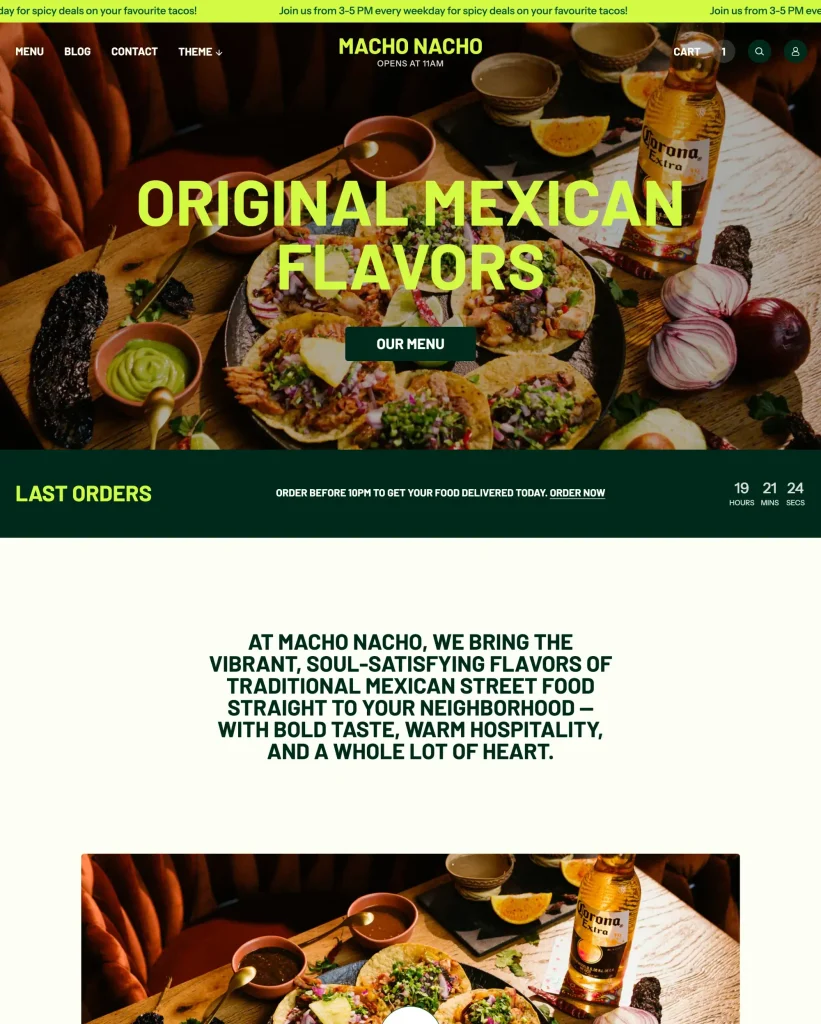
Takeout is one of the closest restaurant-specific alternatives because it is built for restaurants, takeaway businesses, and local stores selling for pickup.
It currently costs $200.
Its strongest feature is a restaurant-style menu collection view. It also supports nutritional information and dietary product tags.
That makes it especially useful for businesses where customers mainly browse online and place pickup orders.
Choose Takeout if: takeaway and pickup matter more to your business than table reservations.
3. Local: Best for restaurants that also sell retail
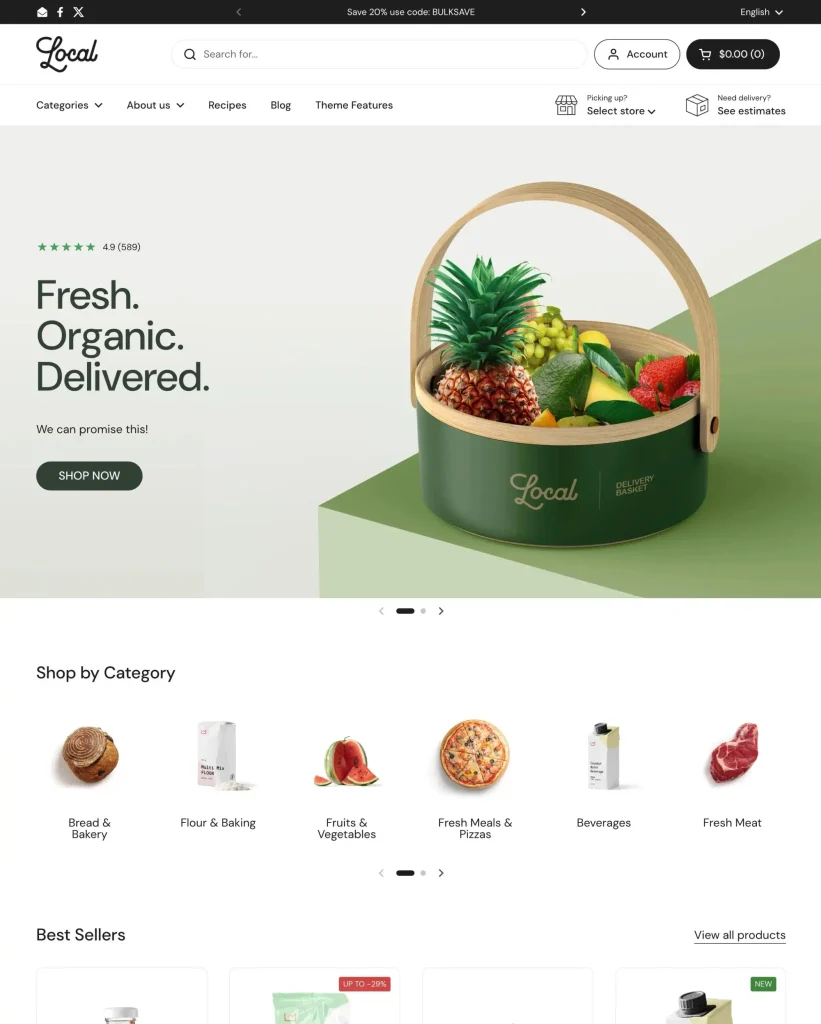
Local is a premium theme aimed at food, beverage, and physical retail businesses.
It currently costs $380.
It includes nutritional facts, cross-selling, quick buy, physical-location features, and more than 30 sections.
That makes it a strong option for:
- Bakeries
- Coffee shops
- Delis
- Specialty food stores
- Restaurants selling packaged products
Its limitation is that it behaves more like a food retail theme than a complete restaurant operations theme.
Choose Local if: your business combines food service with a significant ecommerce or retail operation.
4. Foodie: Best premium theme for food and coffee brands
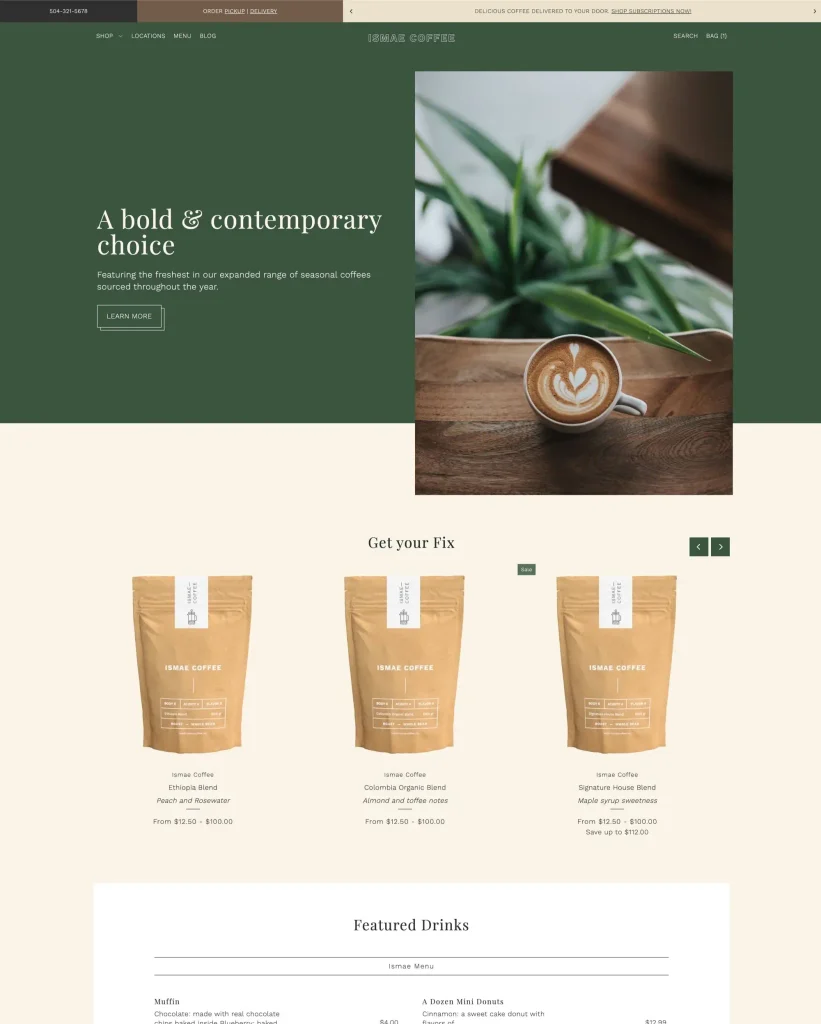
Foodie currently costs $150 and is designed for growing food and drink ecommerce businesses.
Its features include ingredients or nutritional information, product options, pickup, pre-orders, quick buy, gift wrapping, and strong product presentation.
That makes it a good fit for:
- Coffee roasters
- Packaged food businesses
- Bakeries
- Food brands
- Specialty product stores
For a dine-in restaurant, however, menu courses and table reservations are not the theme’s main focus.
Choose Foodie if: ecommerce sales are central to your food business and you want an affordable premium Shopify theme.
5. Savor: Best free theme for visual food brands
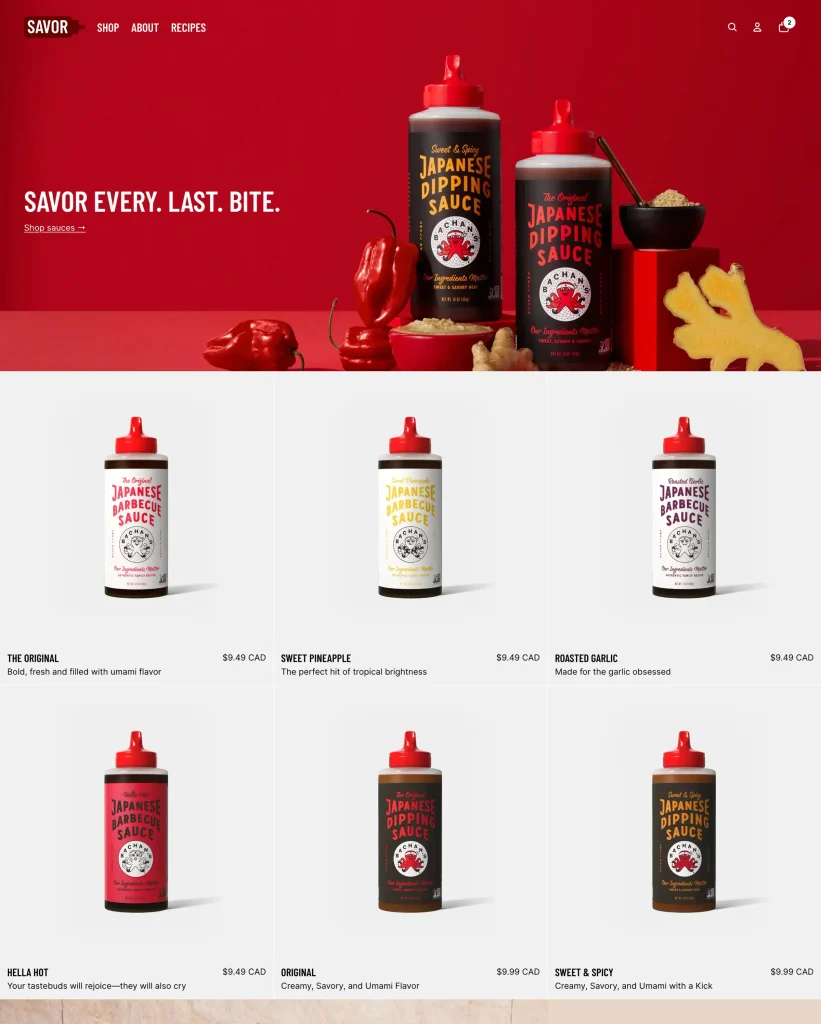
Savor is a free Shopify theme focused on food imagery and visual storytelling.
It works well for businesses where photography is a major part of the buying decision.
Possible fits include bakeries, dessert brands, packaged products, and small food stores.
The tradeoff is that Savor is still a general ecommerce theme, so restaurant-specific menu structure and bookings require extra work.
Choose Savor if: you want a free theme and strong food photography is central to your brand.
6. Crave: Best free option for mobile-first food stores
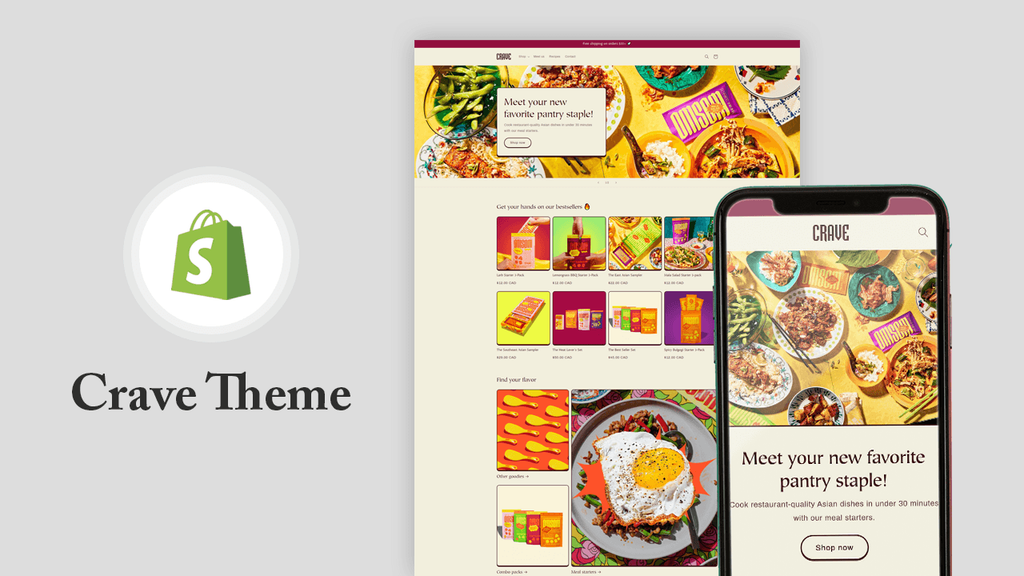
Crave is free and designed around mobile shopping.
It includes flexible customization, product discovery, filtering, recommended products, and mobile-focused layouts.
It can work well for:
- Food trucks
- Takeaway stores
- Snack businesses
- Small cafes
- New food brands
It is less suitable for businesses that need advanced restaurant menus or booking workflows.
Choose Crave if: you want a free Shopify theme for a small takeaway or food business and mobile shopping is a priority.
7. Taste: Best free option for specialty food businesses
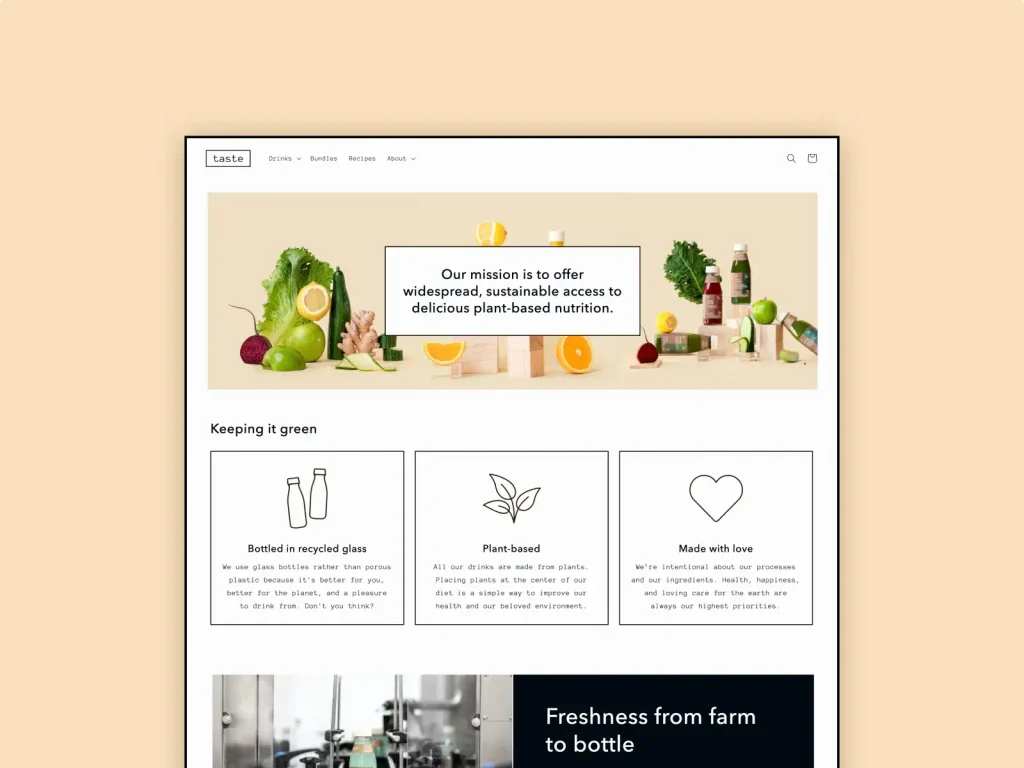
Taste is a free Shopify theme built for specialty products and bold presentation.
It suits businesses with a smaller catalog and strong product photography.
For a restaurant, however, Taste works more like a traditional ecommerce storefront than a restaurant-first website.
Choose Taste if: you sell a focused range of food products and want a free Shopify starting point.
Why Restrovics is different from a general Shopify food theme
Every theme in this comparison can display food.
The difference becomes clearer when customers need to use the website like restaurant guests.
Menu: Restrovics uses restaurant courses and a tabbed menu board.
Dish selection: Portion sizes, allergens, dietary information, spice levels, and extras can stay inside the restaurant experience.
Ordering: Dishes and extras move through Shopify Cart and Checkout.
Booking: A booking enquiry is available from the start, with room to integrate a more advanced reservation system later.
Restaurant pages: Restaurant-specific pages and sections are already part of the theme instead of needing to be rebuilt.
Which Shopify restaurant theme should you choose?
Restaurant owner
If customers dine at your location and need menus, ordering, and table enquiries, start with a restaurant-specific theme.
If you mostly sell packaged products, a general food ecommerce theme may be enough.
Freelancer
Look beyond the theme price.
A theme that already includes restaurant-specific layouts can reduce development time and make client handoff easier.
Agency owner
Think about what happens six months after launch.
Easy menu updates, editable restaurant information, and reservation compatibility can reduce ongoing support work.
Developer
Evaluate structure as well as appearance.
Restaurant-specific sections plus Custom Liquid or integration flexibility can be more valuable than a theme that simply looks good in screenshots.
Frequently Asked Questions
What is the best Shopify theme for restaurants?
Restrovics is one of the strongest options for restaurants needing menu courses, dish information, paid extras, Shopify ordering, and booking enquiries in one restaurant-oriented theme.
Takeout is a better alternative for businesses focused mainly on pickup and takeaway.
What is the best free Shopify theme for restaurants?
Savor, Crave, and Taste are free Shopify themes that can work for food businesses.
They are broader ecommerce themes, so restaurant-specific menu structure and booking functionality may require additional setup.
How much does a Shopify restaurant theme cost?
Restrovics is currently free, and Savor, Crave, and Taste are free Shopify themes you can also start with.
Among the premium themes in this comparison, Foodie currently costs $150, Takeout $200, and Local $380.
Can Shopify be used for a restaurant website?
Yes.
Shopify can handle products, cart, checkout, payments, pickup, and ecommerce operations, while themes and apps provide restaurant-specific features.
For the complete setup, read our Shopify restaurant website guide.
Can Shopify restaurants take table reservations?
Yes.
A restaurant can use anything from a booking enquiry form to a dedicated reservation app.
Restrovics includes an enquiry section, while more advanced apps can add live availability, deposits, reminders, and waitlists. Compare the best restaurant reservation apps for Shopify before choosing one.
Which Shopify theme is best for takeaway?
Takeout is one of the strongest choices for takeaway and pickup because its menu-style collection layout is built around food ordering.
Which Shopify theme is best for a cafe?
For a dine-in cafe that needs restaurant-style menus, Restrovics can be a better fit.
For cafes selling beans, packaged products, or merchandise online, Foodie or Local may make more sense.
Pick the theme for the job, not just the screenshot
A restaurant website should answer four questions quickly:
What can I eat?
How much does it cost?
Can I order it?
Can I book a table?
A general Shopify theme can answer those questions with enough customization, but the best Shopify themes for restaurants answer them out of the box.
The real difference is how much work you need after installing the theme.
For full restaurant websites, Restrovics stands out because menus, dishes, extras, Shopify ordering, restaurant pages, and booking enquiries are already central to its structure.
Takeout is stronger for pickup-focused restaurants.
Local and Foodie make more sense when traditional ecommerce is a major part of the business.
And Savor, Crave, and Taste provide useful free starting points for smaller food brands.
If you want a Shopify restaurant theme built around the way restaurants actually work, explore Restrovics and view the live demo.