8 Best Restaurant Reservation Apps for Shopify in 2026


Choosing the best restaurant reservation app for Shopify comes down to how you actually run service, not just the feature count. This guide compares the top options for shifts, turn times, floor plans, deposits, waitlists and pricing, with plan details verified against the official Shopify App Store listings.
Quick answer: Which Shopify restaurant reservation app is best?
Reservics is our top pick for restaurants running regular table service. It is one of only two apps on the Shopify App Store designed around restaurant operations rather than appointments, and it is the only one combining named shifts, turn times, a live floor plan, a waitlist, and deposits through Shopify Checkout.
The right choice still depends on how you run service. BiteMe In is the other restaurant-specific option and has a longer track record. Cowlendar is the safer pick if a large public review history matters more than restaurant-specific tools. For tastings, chef’s tables and other fixed-time dining events, Easy Appointment Booking App is often more practical than any table-management system.
The short list
| Rank | App | Best for | Starting price* |
|---|---|---|---|
| 1 | Reservics | Restaurants wanting shifts, turn times and floor management inside Shopify | Free |
| 2 | BiteMe In | Restaurants wanting table merging and bookable experiences, with a longer track record | Free |
| 3 | Cowlendar | Retail-led stores that also take occasional bookings | Free |
| 4 | Easy Appointment Booking App | Tastings, classes, chef’s tables and ticketed dining | Free |
| 5 | Sesami | Service brands needing Shopify POS booking and a polished widget | $19/month |
| 6 | Tipo | Small venues needing a simple, low-cost scheduler | Free |
*Prices, plan limits and review counts change. Every figure in this article was checked against the official Shopify App Store listings on July 28, 2026. Confirm current details before installing.
Why a normal Shopify booking app may not be enough for a restaurant
At first glance, booking a haircut and booking a restaurant table look similar: a customer picks a time and confirms.
Behind the scenes they are very different.
An appointment scheduler assigns one customer to one service, staff member or calendar slot. A restaurant manages parties of different sizes across a limited number of tables. It may run separate lunch and dinner shifts, hold each table for a defined turn time, pace arrivals across the evening, seat walk-ins, and respond when the dining room is full.
The difference shows up on a busy night. Four open booking slots do not mean the restaurant can accept four more parties. A party of two and a party of eight consume the room differently, and a calendar that cannot account for capacity creates a problem for the host before service begins.
This does not make general booking apps bad. They are built for a different job.
How we compared the apps
We assessed each app on what matters during real service, not simply whether it can display a calendar.
- Restaurant-specific scheduling: Can you separate services, set turn times, and avoid treating every booking as identical?
- Capacity and party-size controls: Does the app understand covers and party size, not only the number of time slots?
- Table or floor management: Can staff see, allocate or manage tables during service?
- Waitlist and walk-ins: Is there a practical workflow when the restaurant is full?
- Deposits: Can you collect a deposit or prepayment through Shopify, and on which plan?
- Guest communication: Confirmation, reminder, reschedule and cancellation emails?
- Storefront experience: Does the booking interface integrate cleanly with the Shopify theme?
- Multi-location: Can a growing group run several venues, and at what price?
- Price and proof: Is there a free plan or trial, and how much public customer feedback exists?
No single feature decides the winner. A floor plan is valuable for a busy dining room and unnecessary for a café taking three reservations a week. Every recommendation below includes a specific best-fit case.
Shopify restaurant reservation app comparison
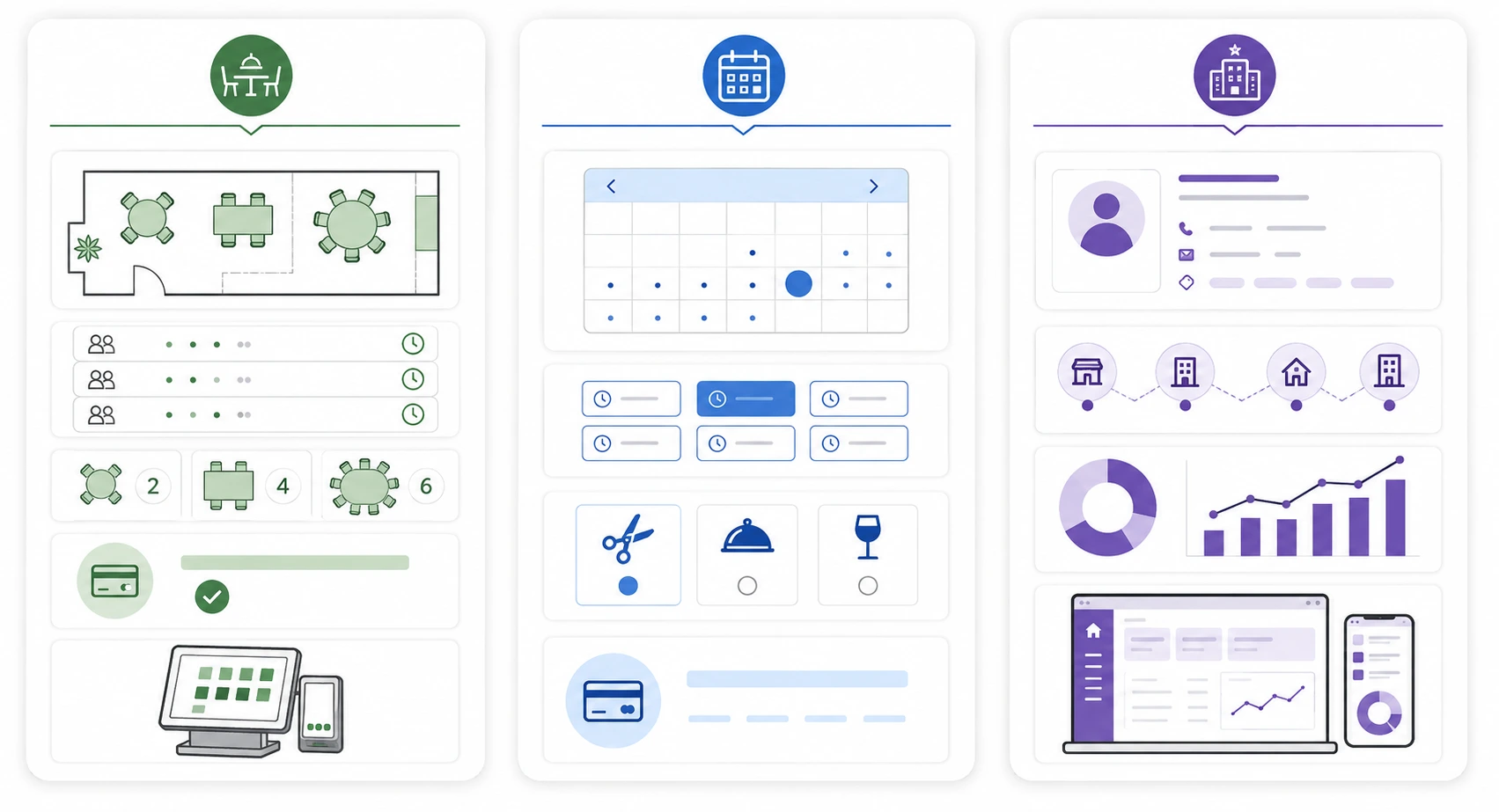
| Feature | Reservics | BiteMe In | Cowlendar | Easy Appt Booking | Sesami | Tipo |
|---|---|---|---|---|---|---|
| Restaurant-focused | Yes | Yes | No | No | No | No |
| Named shifts & turn times | Yes | Custom timeslots (Pro) | No | No | No | No |
| Floor / table management | Yes | Yes | No | No | No | No |
| Waitlist | Yes | Not listed | Not listed | Yes | Not listed | Not listed |
| Deposits | Yes (Pro, $9.99) | Yes (Pro, $29.99) | Yes | Yes | Yes | Yes |
| Food menu builder | Yes | No | No | No | No | No |
| Multi-location | 3 on Pro, unlimited on Advance | 5 on Pro ($29.99), 10 on Enterprise ($79.99) | Yes | Yes | Premium only ($299) | Not listed |
| Shopify POS | Yes | Yes | Not listed | Not listed | Yes, from $19 tier | Not listed |
| Free plan | Yes | Yes | Yes | Yes | No | Yes |
Features vary by plan. Always check the current listing and test the workflow with your own table layout, party sizes and busiest service.
1. Reservics: Table Reservations
Best for: restaurants that want restaurant-specific reservation logic inside Shopify
| Detail | Information |
|---|---|
| Developer | Apselo |
| Pricing | Free; Pro $9.99/month; Advance $19.99/month |
| Trial | 14 days on paid plans |
| Reviews at time of checking | 0 |
| Languages | English |
| Official listing | Reservics on the Shopify App Store |
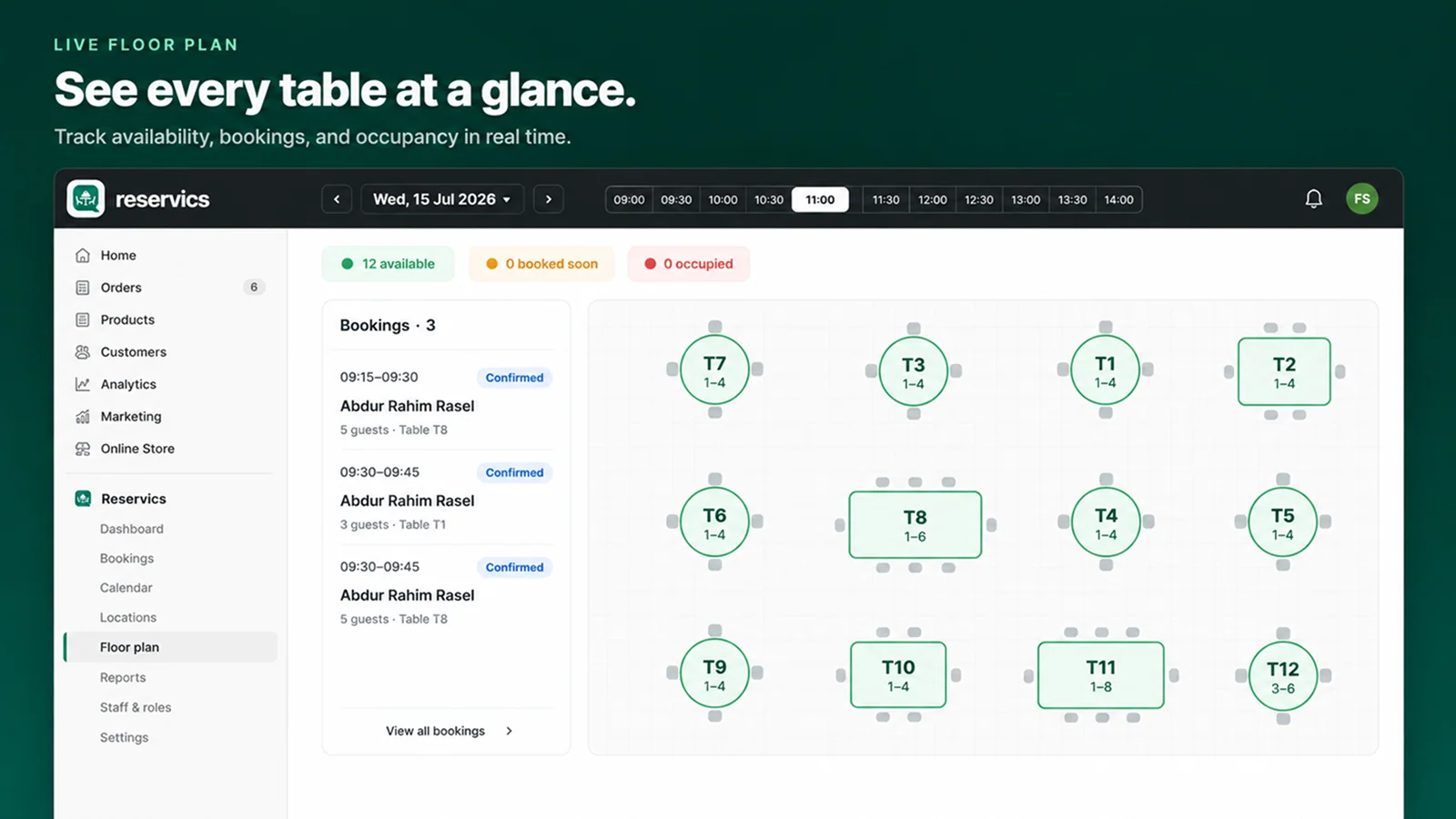
The Reservics reservation app is built around the vocabulary a floor manager already uses: shifts, turn times, covers, sections, floor plan, waitlist and walk-ins. It runs entirely inside Shopify: the booking form is a theme app block, the admin is embedded in your Shopify dashboard, deposits go through Shopify Checkout, and guest profiles sync to your Shopify customer list, which helps you turn first-time diners into regulars. Diners never create a third-party account.
What stands out
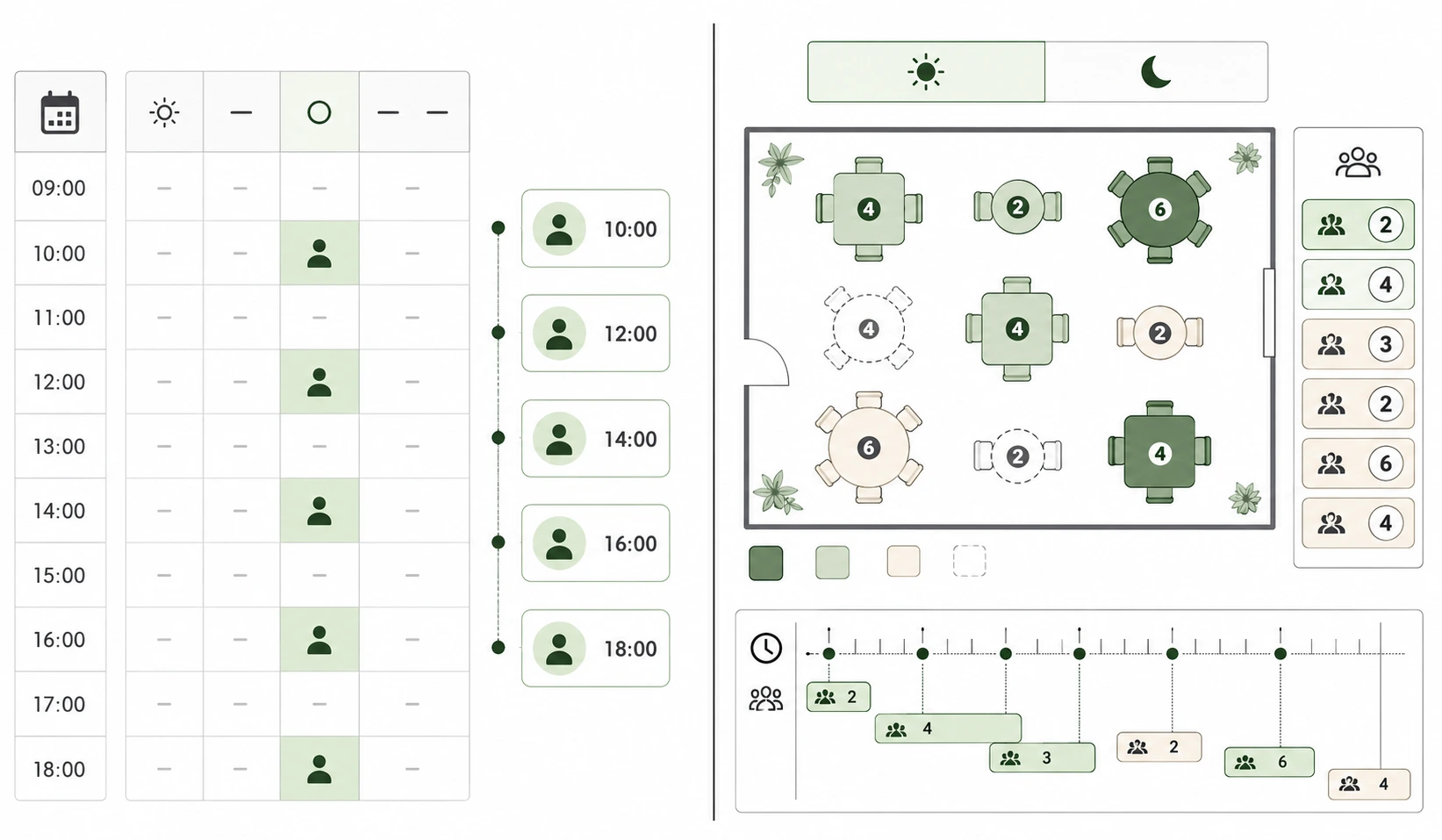
Named shift scheduling with turn times. Set separate lunch and dinner services with their own hours and rules, define how long a table is held, use 15-minute booking slots, and apply date overrides to close or re-cap any individual day. This is the clearest dividing line between a reservation system and a slot booker, and no general appointment app in this comparison offers it.
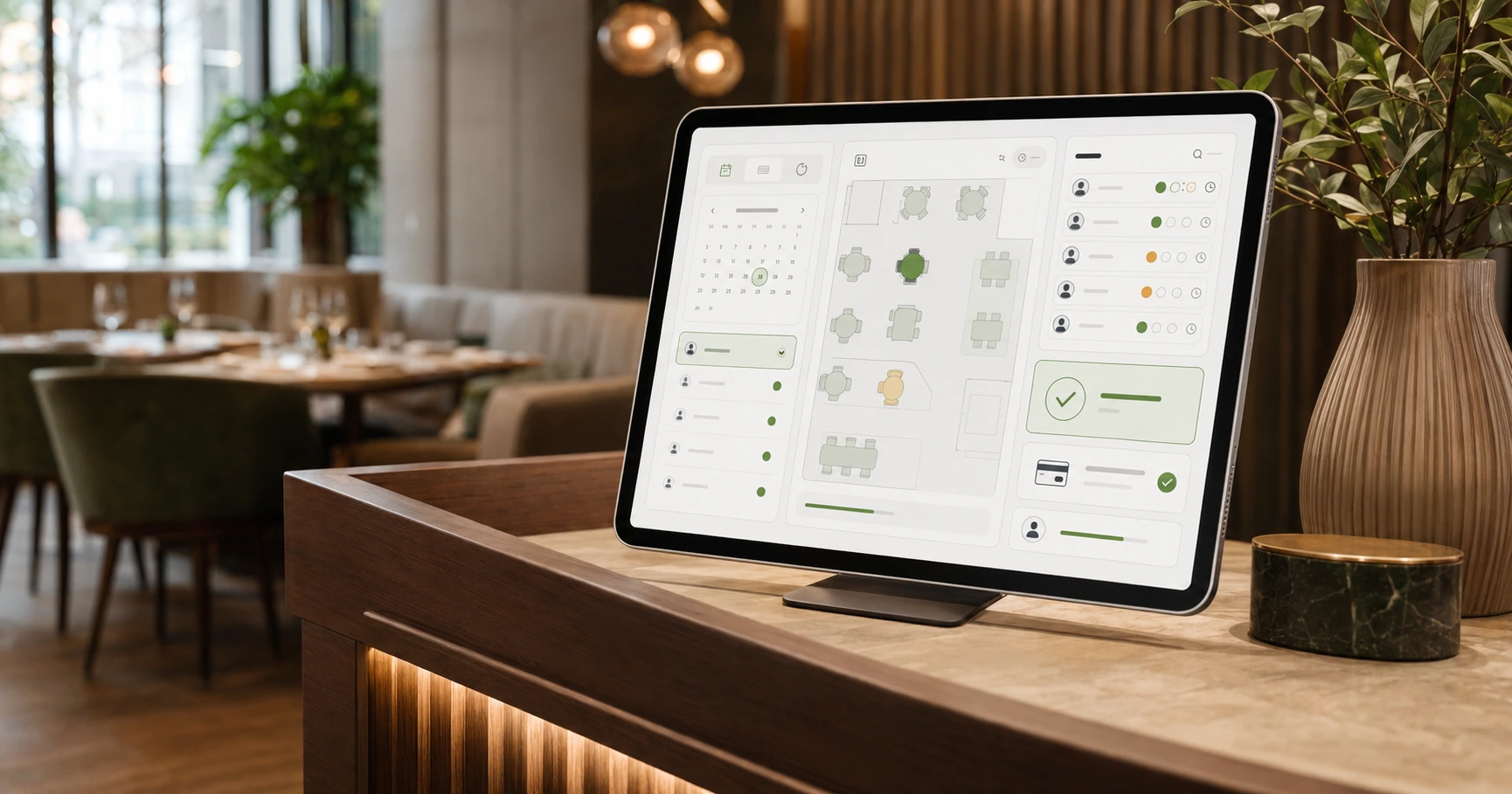
A live floor plan (Pro). A drag-and-drop editor lets you lay out the dining room once, size each table and group tables into sections such as patio, bar and main hall. During service, a live board colours every table available, upcoming or seated. Each location gets its own layout.
Deposits through Shopify Checkout (Pro and above). Collect a deposit or full prepayment, per guest or per booking, using the checkout and payment providers your store already runs on. Payments sync automatically, refunds are one tap, and refund policy can be set to always, within a window, or never.
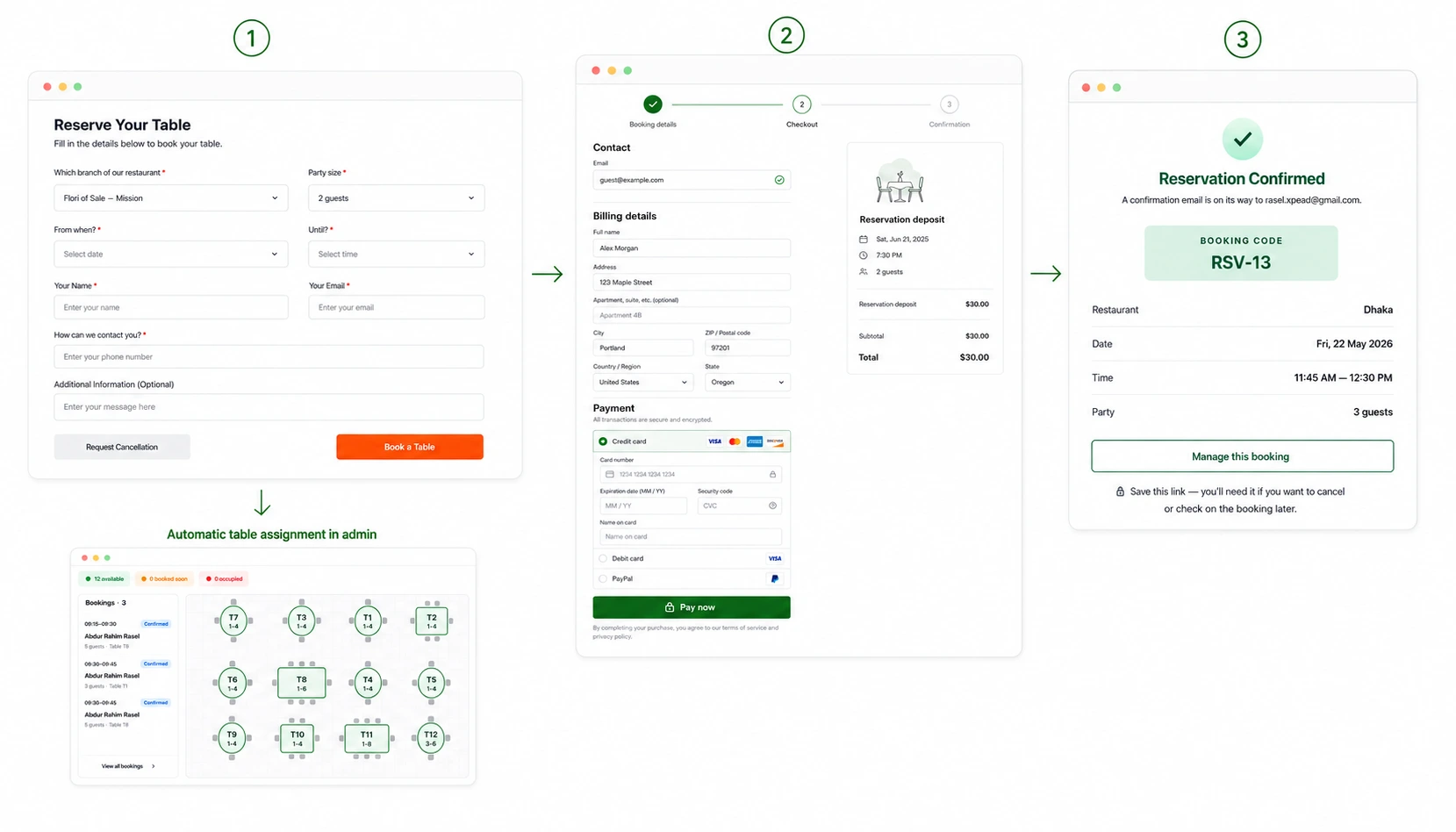
A waitlist for full periods. When a popular time is booked out, the guest journey does not have to end. The waitlist captures demand and notifies guests when a table opens.
Guest emails with one-tap cancel. Confirmation, reminder, reschedule and cancellation emails, with a one-tap cancel link. Making cancellation frictionless is what actually returns tables in time to resell them. A guest who cancels at 4pm gives you six hours. Free includes one reminder schedule, Pro up to five, Advance unlimited.
Booking approval control. Confirm instantly, or hold bookings as pending for staff approval. Unpaid pending holds expire automatically after 15 minutes so seats never stay locked.
Guest detail capture. Notes, allergies, occasion and VIP tags on every booking, plus unlimited custom form fields on Pro.
Reporting. Covers, deposit revenue, no-show rate, peak hours and average party size, with CSV export on Pro and above and group-wide reporting on Advance.
A built-in food menu. Build a branded menu with sections, dishes, photos, prices and dietary tags, and let guests add items to the Shopify cart and check out. No other app in this comparison includes this.
Multi-location. One location on Free, up to three on Pro, unlimited on Advance.
Current pricing
| Feature | Free | Pro ($9.99/month) | Advance ($19.99/month) |
|---|---|---|---|
| Restaurant locations | 1 | Up to 3 | Unlimited |
| Bookings | Unlimited | Unlimited | Unlimited |
| Booking widget & live dashboard | Yes | Yes | Yes |
| Operating hours & date overrides | Yes | Yes | Yes |
| Confirmation / reschedule / cancellation emails | Yes | Yes | Yes |
| Reminder schedules | 1 | Up to 5 | Unlimited |
| Custom form fields | Up to 5 | Unlimited | Unlimited |
| Multi-shift scheduling | No | Yes | Yes |
| Deposits & one-tap refunds | No | Yes | Yes |
| Live floor plan | No | Yes | Yes |
| Staff roles & booking alerts | No | Yes | Yes |
| CSV booking export | No | Yes | Yes |
| Group-wide reporting | No | No | Yes |
Where Reservics may not be the right choice
Reservics launched on Shopify in June 2026 and had no public reviews when this article was checked. There is no review history yet showing how it performs across different restaurant types, themes and high-volume services. If public proof is your primary buying signal, Cowlendar has more than two thousand reviews and Reservics has none.
Shopify POS is now live. Reservics lists Shopify POS on the Advance plan, so a host-stand POS workflow is available today for restaurants that need it.
The free plan and 14-day trial lower the cost of testing, but they do not replace due diligence. Before moving your whole book across, recreate your actual operating hours, party-size rules, busiest shift, walk-in process, deposit policy and cancellation flow, and have the person who runs the host stand test it too. Owners and floor teams notice different problems.
Verdict: the most restaurant-specific feature set in this comparison, at the lowest paid price point of the restaurant-focused options, balanced against a very limited public track record.
2. BiteMe In Restaurant Booking
Best for: restaurants wanting table merging and bookable experiences, from a developer with a longer track record
BiteMe In launched in July 2025 and is the other genuinely restaurant-focused app on the App Store. It offers dynamic table allocation with live capacity tracking, custom timeslots, range-mode reservations, table merging, deposits, automated emails, and bookable experiences such as tastings and tours that guests add to the cart. It holds a 3.9 rating from 3 reviews and is available in five languages.
Read the pricing carefully. The free plan is capped at 15 reservations and 10 tables with a single timeslot mode. Essential at $9.99/month lifts the reservation cap but still limits you to 20 tables and standard time slots. The features most restaurants actually need (custom timeslots, unlimited tables, table merging, deposits and multi-location for up to five venues) sit on Pro at $29.99/month. Ten locations requires Enterprise at $79.99/month.
On Shopify POS: BiteMe In does not integrate with Shopify POS. Its listing shows it works with Shopify Admin only, and its most detailed review states that payments are online-only and not possible through POS.
That same review, from a UK merchant in March 2026, also reported that staggered seating did not work (a guest could not book at 7:30pm when hour-long sittings started at 7:00pm), along with difficulty cancelling a table for a walk-in and slow support. The developer responded publicly, said they had added the ability to enable and disable tables directly from the live reservation page in response, and stated they had replied to the emails received. With three reviews in total, one experience moves the score sharply in either direction, so read them individually.
Verdict: a real restaurant-specific option with useful table-merging tools, but the meaningful features start at $29.99/month and the public review base is still very small.
3. Cowlendar
Best for: Shopify stores where reservations are occasional rather than operationally central
Cowlendar is the most established booking app on Shopify, holding a 4.9 rating from more than 2,000 reviews and carrying the Built for Shopify badge. It supports appointments, rentals, services, events, group and multi-day bookings, includes deposits, SMS notifications, multi-location and capacity limits, and makes every feature available on every plan including the free one.
Its biggest advantage is confidence. Thousands of reviews tell you far more about installation, support and day-to-day reliability than either restaurant-specific app currently can.
Its limitation is equally clear. Cowlendar is not designed to run a dining room: no named shifts, no turn times, no floor plan. A café or retail store taking a few bookings a week will never miss those. A busy restaurant will.
Verdict: the proven choice when reservation volume is modest. Do not pick it purely for the review count if you genuinely need shift and table management.
4. Easy Appointment Booking App
Best for: chef’s tables, tastings, cooking classes, supper clubs and fixed-capacity dining events
Easy Appointment Booking App holds a 4.9 rating from 463 reviews, carries the Built for Shopify badge, and offers a free plan. It is not a daily table-management system, but it fits the event side of hospitality well: when every guest starts at the same time, capacity is fixed and payment happens in advance, an event-booking workflow beats a floor plan. It also includes a waitlist, which most general booking apps do not.
Verdict: one of the strongest choices for bookable dining experiences, and not a substitute for shift and table management in a full-service restaurant.
5. Sesami
Best for: service brands that need Shopify POS booking and a polished storefront widget
Sesami holds a 4.7 rating from 251 reviews and is built for service commerce rather than restaurants. It has the most visually refined booking widget in this comparison, plus Google Calendar sync, an API and SDK, Sesami Flows for automated emails, and a strong support reputation. Notably, it offers confirmed Shopify POS integration, included from its entry tier.
The pricing is the catch. Sesami starts at $19/month with no free plan, and the tiers climb steeply: Pro is $129/month and Premium, the only plan with multi-location, is $299/month. There is a 30-day free trial.
For a restaurant, the question is whether POS booking and widget polish compensate for the total absence of shift, turn-time and table logic. In most cases they will not.
Verdict: the right answer if Shopify POS booking is non-negotiable and your service model is appointment-shaped. Not the first recommendation for managing covers and tables during daily service.
6. Tipo Appointment Booking
Best for: small venues that want a simple booking calendar at low cost
Tipo is one of the longest-running appointment apps on Shopify, holding roughly a 4.8 rating across about 320 reviews with a free plan available. Merchants consistently praise the clean interface, Google Calendar integration, fast setup and responsive support. It covers the basics well for stores that just want customers to pick a date and time.
That simplicity is both the benefit and the limit. Multi-staff and group bookings require higher tiers, and the app is not built around a live restaurant floor, waitlist or table turns.
Verdict: a budget-friendly scheduler for light use, not a restaurant reservation operation.
What about OpenTable, SevenRooms, Resy or Tablein?
Larger venues and restaurant groups may be better served by a dedicated hospitality platform than a Shopify app.
OpenTable, SevenRooms, Resy and Tablein offer deeper guest CRM, table management, distribution and restaurant operations, and, for OpenTable and Resy, marketplace demand. Their booking widgets can usually be embedded in a Shopify storefront while reservation management stays in the hospitality platform.
The trade-off is separation. Staff work across another dashboard, guest data lives outside Shopify, and pricing is typically far higher than a Shopify app. OpenTable in particular charges per-cover fees that compound quickly. An embedded external widget can also be harder to style consistently, though performance depends on how each provider implements and loads it rather than simply on whether an iframe is present.
If reservations are a major revenue channel and a dedicated team uses guest profiles daily, the extra platform may be justified. If the goal is to keep commerce, customers, deposits and reservations in one place, a Shopify-native app is usually simpler and much cheaper.
How to choose the best restaurant reservation app for Shopify
Use your actual service model, not the longest feature list.
Choose Reservics if:
- You run regular table service with distinct lunch and dinner shifts.
- Turn times, floor-plan and waitlist tools matter.
- You want deposits to pass through Shopify Checkout at the lowest paid price point here.
- You prefer reservation management to stay inside Shopify admin.
- You are comfortable testing a new app with no public review history.
Choose BiteMe In if:
- Table merging or range-mode reservations matter to your layout.
- You sell bookable experiences such as tastings or tours alongside tables.
- You want a restaurant-focused app with a longer track record, and the $29.99 tier fits your budget.
Choose Cowlendar or Tipo if:
- Reservations are a small part of a retail-led store.
- A general booking calendar is enough.
- A long review history matters more than restaurant-specific operations.
Choose Easy Appointment Booking App if:
- You sell fixed-time dining experiences.
- Guests pay for a tasting, class or event rather than reserve a normal table.
Choose Sesami if:
- Shopify POS booking is a hard requirement.
- Widget design is the deciding factor and the budget supports $19/month upward.
Consider a dedicated hospitality platform if:
- You operate a large venue or restaurant group.
- You need a mature guest CRM, marketplace demand or advanced operations.
- Your team is comfortable working across Shopify and a separate reservation system.
Frequently asked questions
Can Shopify take restaurant reservations without an app?
No. Shopify does not include a native restaurant reservation system. To accept table bookings you need a Shopify app or an embedded third-party reservation service.
What is the difference between a booking app and a restaurant reservation system?
A booking app schedules a customer against an available time. A restaurant reservation system also accounts for shifts, turn times, party size, capacity, tables, walk-ins and waitlists: the way guests actually move through a service.
What is the cheapest way to take restaurant reservations on Shopify?
Reservics, Cowlendar, BiteMe In, Easy Appointment Booking App and Tipo all offer free plans, but the limits differ sharply. Reservics’ free plan allows unlimited bookings at one location; BiteMe In’s free plan caps you at 15 reservations and 10 tables. Compare what is included rather than choosing on starting price alone.
Which Shopify restaurant booking apps work with Shopify POS?
Sesami includes Shopify POS integration from its $19/month entry tier. BiteMe In does not; its listing shows it works with Shopify Admin only. Reservics now offers Shopify POS on its Advance plan, so it is available today.
Which Shopify restaurant booking app has a floor plan?
Reservics includes a drag-and-drop floor plan editor with a live seating board. BiteMe In offers dynamic table allocation and table merging on its Pro plan but not a visual floor plan editor. General appointment apps such as Cowlendar, Sesami and Tipo do not provide a restaurant floor workflow.
Can restaurants collect booking deposits through Shopify?
Yes. Reservics collects deposits through Shopify Checkout on its Pro ($9.99/month) and Advance plans. BiteMe In includes reservation deposits on its Pro plan at $29.99/month. Several general booking apps support deposits too.
Do deposits prevent restaurant no-shows?
Deposits give guests a stronger reason to attend or cancel in time, but results vary by restaurant, guest type, deposit amount and policy, and they can reduce total bookings. Most restaurants apply them selectively to large parties, limited-capacity experiences and high-demand dates. For more tactics, see our guide on how to reduce restaurant no-shows.
Will a reservation widget slow down a Shopify store?
Any third-party app can affect page performance. A native theme app block may integrate more cleanly than a separately embedded external platform, but implementation matters more than the embed method alone. Test the booking page with Shopify’s performance tools before and after installation.
Can one Shopify store manage multiple restaurant locations?
Yes, if the app and plan support it. Reservics supports one location on Free, three on Pro and unlimited on Advance. BiteMe In supports five locations on its $29.99 Pro plan and ten on its $79.99 Enterprise plan. Sesami includes multi-location only on its $299/month Premium plan.
How do I add table reservations to a Shopify theme?
Install a reservation app, complete its availability and capacity setup, then add its app block to a dedicated Reservations page or another supported theme section. Our step-by-step guide to adding table booking to Shopify walks through the whole setup. Test the full mobile journey afterwards, including confirmation, cancellation, deposit and sold-out scenarios.
Final verdict
The best restaurant reservation app for Shopify is not the one with the most features or the most reviews. It is the one that matches what happens on your floor.
For restaurants running regular table service, Reservics is the strongest overall match in this comparison. It is the only app here that combines named shifts, turn times, a live floor plan, a waitlist, Shopify Checkout deposits and multi-location support, and it does so at $9.99/month, well below where the comparable features start on BiteMe In. Its clear drawback is that it is new, with no customer reviews at the time of checking.
BiteMe In is worth shortlisting for table merging and bookable experiences if the $29.99 tier fits. Cowlendar remains the more proven option for occasional reservations, Easy Appointment Booking App suits fixed-time dining events, and Sesami pairs Shopify POS booking with a polished storefront widget.
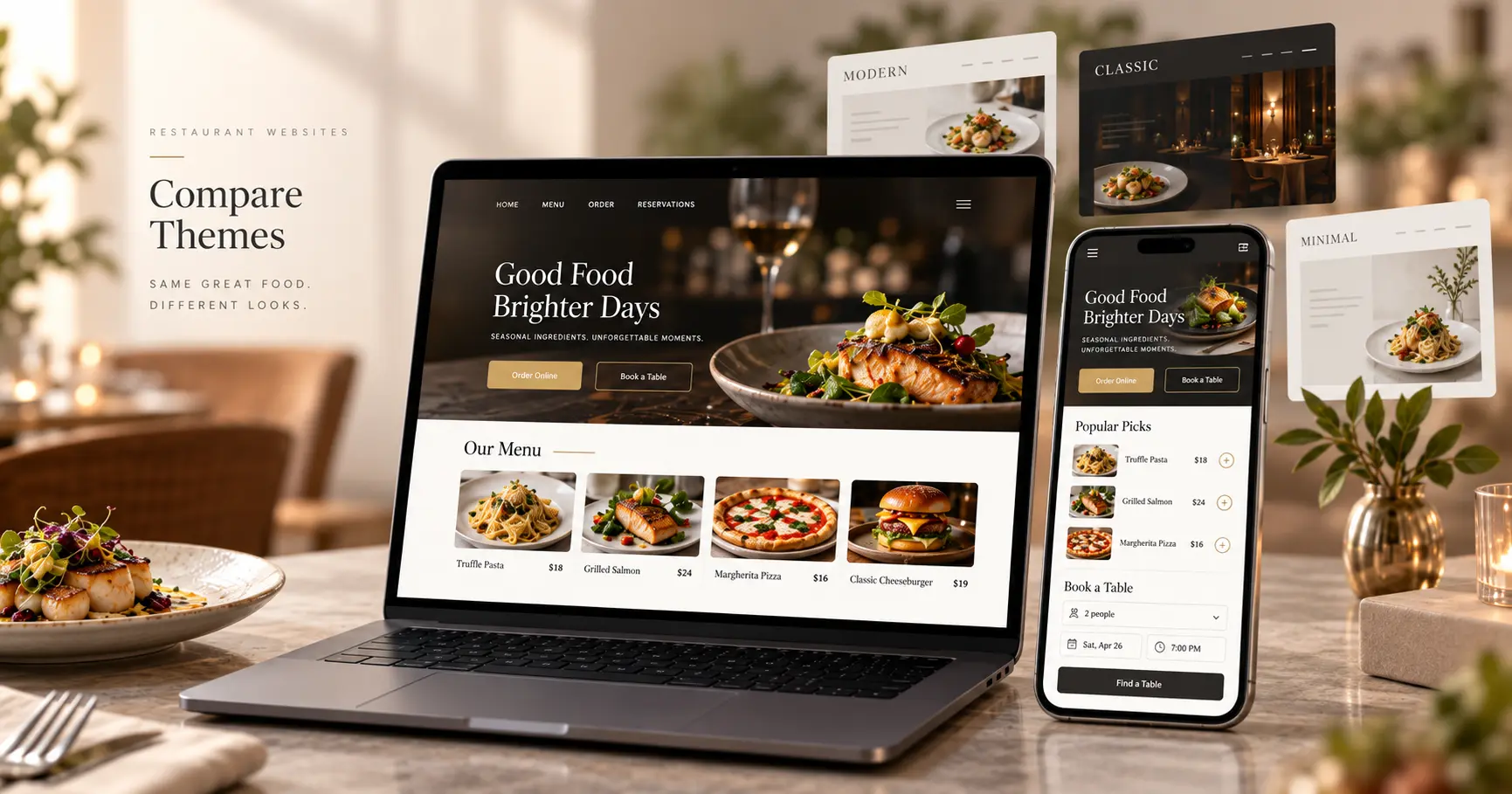
Start with a trial or free plan. Recreate your busiest service, test every party size, take a deposit, cancel a booking, add a walk-in, and let the person who runs the host stand make the final call. And if the storefront around the booking form still needs work, our guide on how to build a restaurant website covers the pages, menu and reservation setup step by step.