
The Email Settings allow you to configure the email notifications sent for deposits and partial payments.
To access these settings, navigate to Deposit → Email Settings. This will take you to the WooCommerce Email Settings page. Scroll down to find the Deposit email notifications.
The available email notifications include:
- Deposit Confirmation: Sent when a customer successfully places an order using a deposit payment.
- Payment Reminder: Sent to remind customers about their remaining balance before the due date.
- Final Payment Confirmation: Sent after the customer completes the remaining payment.
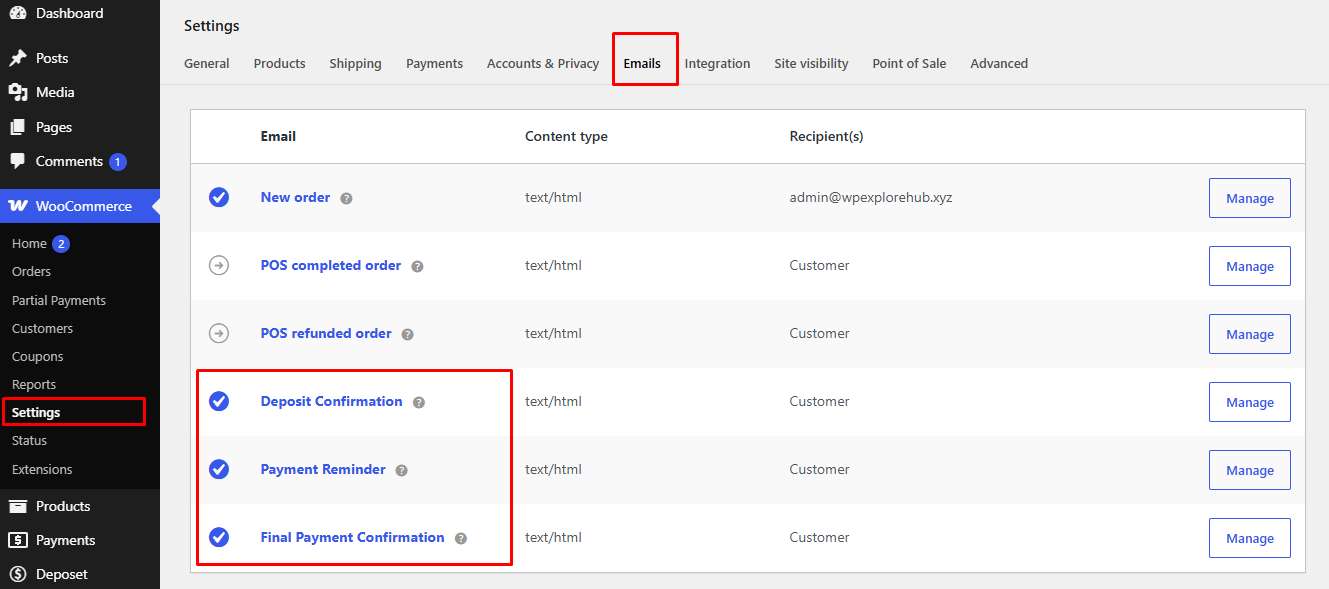
Click Manage next to any email notification to customize its subject, heading, content, recipient, and email format.
Note: Once configured, these email notifications are automatically sent to the customer (and the administrator where applicable) based on the corresponding deposit payment.


